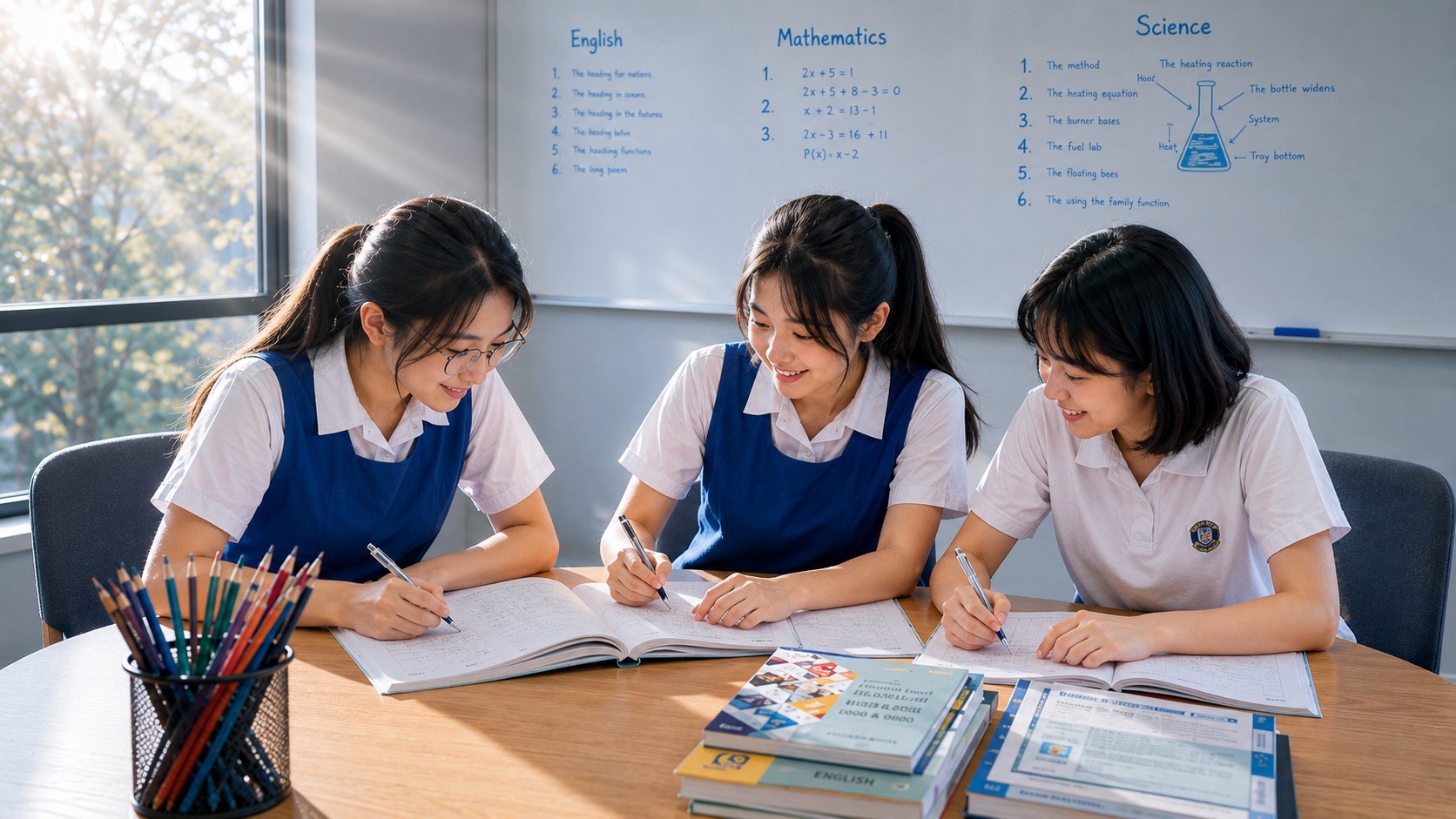
Secondary 1 G2 vocabulary for digital life and cyber wellness helps students explain what they see online, question a message and make their ideas clear in English. This guide introduces 100 useful words, from familiar terms such as account and privacy to more demanding terms such as authentication and misinformation. Each entry has a plain meaning and an original example. Use the words to understand a passage, discuss a choice or write a helpful notice, rather than simply memorising definitions.
Start with one situation the student can understand: a photograph being shared, a surprising message or a claim in a video. Ask what happened, which words describe it accurately and what evidence supports the explanation. Parents can help by listening to the reasoning and asking a focused follow-up question. This is an eduKate theme selection for English practice, not an official or predicted SEAB examination list. All practice can use fictional examples and paper sketches without opening real accounts or sharing personal information.
- Audience: Secondary 1 students taking English at G2, with explanations that parents can use in conversation.
- Coverage: exactly 100 distinct English headwords in ten groups about digital activities, information, communication and choices.
- Learn the meaning: connect each word to an example, then explain when a similar word would not fit.
- Apply the language: use the original reading cases, diagnostic answers and short writing task below.
- Keep practice manageable: follow the suggested four-week plan and revisit words through new situations.
- Use the right expectations: these are teaching choices, while school instructions and current assessment requirements remain the practical guide.
Theme and curriculum scope, checked 16 November 2026. MOE’s Cyber Wellness education supports responsible digital participation. An official secondary-school explanation includes respect, protection of personal information and considered online choices. NLB’s S.U.R.E. resources provide an information-checking framework: Source, Understand, Research and Evaluate.
The 2027 G2 English Language syllabus, K200, values accurate and appropriate vocabulary in communication. It is a later national examination reference, not a Secondary 1 paper specification or a promise that this theme will appear. The definitions, scenarios and study plan below are original teaching material. Technical words are explained for reading and discussion; students do not need specialist cybersecurity training to use this guide.
Begin with words students meet in ordinary instructions. Naming the action clearly makes an explanation easier to follow.
| No. | Word or term | Meaning | Example in use |
|---|---|---|---|
| 1 | device | An item of electronic equipment used for a particular purpose. | The student used a school device to read the assigned passage. |
| 2 | digital | Using information represented electronically, often through computers and related technology. | A digital notice can be updated without printing another paper copy. |
| 3 | online | Connected to the internet, or taking place through internet services. | The class discussed which information belonged in its online project folder. |
| 4 | offline | Not connected to the internet, or taking place away from it. | An offline discussion helped the group plan before opening the shared document. |
| 5 | platform | A digital service providing tools or space for particular activities. | Different platforms may have different rules for posting, messaging and reporting concerns. |
| 6 | account | A user’s registered identity or space within a service. | The pupil asked the teacher which school account should receive the assignment. |
| 7 | profile | Information presented about a person or account within a service. | A profile can reveal more about its owner than the owner intended. |
| 8 | username | A name used to identify an account or user. | A username identifies the account; it is different from the secret password. |
| 9 | upload | Send a file from a device to an online service or server. | Before uploading the photograph, she checked who had agreed to appear in it. |
| 10 | download | Receive a file from another system onto your device. | He downloaded the worksheet through the school’s usual learning platform. |
A useful explanation identifies both the information and the people who may receive it. These words make those choices specific.
| No. | Word or term | Meaning | Example in use |
|---|---|---|---|
| 11 | privacy | Control over access to personal information and aspects of private life. | Sharing someone’s home address without agreement can interfere with their privacy. |
| 12 | personal | Relating to a particular individual and their life or circumstances. | A student’s contact number is personal information, even when included in an ordinary message. |
| 13 | permission | Approval allowing someone to do something. | She asked for permission before posting a classmate’s photograph in the group. |
| 14 | consent | Freely given agreement to a particular action or arrangement. | Consent to take a photograph does not automatically include agreement to publish it. |
| 15 | boundary | A limit describing what someone considers acceptable. | His boundary was clear: do not forward messages from their private conversation. |
| 16 | confidential | Intended to remain within an authorised or agreed group. | A confidential school message should not become material for a public post. |
| 17 | audience | The people who receive or are intended to receive content. | The audience for a class notice differs from the audience for a public video. |
| 18 | visibility | How widely information or content can be seen. | Changing visibility settings affects who may see a post through that service. |
| 19 | location | The place where a person, object or activity is situated. | A photograph may reveal a location through a sign in the background. |
| 20 | footprint | Here, the traces left by a person’s digital activities. | A deleted post may remain in someone’s screenshot and become part of a digital footprint. |
Learn what these terms mean without using actual login details. A labelled sketch is enough for a vocabulary lesson.
| No. | Word or term | Meaning | Example in use |
|---|---|---|---|
| 21 | password | A secret word or sequence of characters used to help authenticate access. | The worksheet discussed password protection without asking anyone to reveal a real password. |
| 22 | passphrase | A password formed from a longer sequence of words. | A useful passphrase should be hard for others to guess, not a familiar public quotation. |
| 23 | authentication | The process of checking whether a claimed identity is genuine. | An account may require another authentication step as well as a password. |
| 24 | encryption | Transforming information into coded form that needs the appropriate key to read. | Encryption protects information, but it does not prove that the person messaging you is trustworthy. |
| 25 | secure | Protected against unauthorised access or other specified risks. | A secure account still needs careful decisions about whom to trust. |
| 26 | access | The ability or permission to enter, reach or use something. | Only the assigned pupils had access to the private project folder. |
| 27 | recovery | Steps taken to regain access to an account or restore information. | The family used the service’s official recovery process after losing access. |
| 28 | update | A newer version or change that improves or corrects software. | The student followed school instructions when an approved software update became available. |
| 29 | backup | An extra copy of information kept so it can be restored. | A backup helped the group recover its work after the original file was damaged. |
| 30 | breach | An incident in which security is broken or protected information is exposed. | After a reported breach, users should follow verified instructions from the affected service. |
These words help describe a concern without jumping to unsupported conclusions. An unexpected message deserves checking, not instant trust.
| No. | Word or term | Meaning | Example in use |
|---|---|---|---|
| 31 | scam | A dishonest scheme intended to obtain money, information or another benefit. | The supposed prize was part of a scam asking winners to send money first. |
| 32 | phishing | Deceptive communication that impersonates a trusted source to steal information or persuade someone to take a harmful action. | A phishing message may pretend to come from a familiar service. |
| 33 | impersonation | Pretending to be another person or organisation. | The fake account was an example of impersonation because it used the teacher’s name and photograph. |
| 34 | suspicious | Giving a reason to doubt that something is genuine or safe. | An unexpected request for a login code made the message suspicious. |
| 35 | urgent | Requiring immediate attention or action. | The word urgent can create pressure, so an unexpected demand still needs checking. |
| 36 | link | A connection that takes a user to another digital location. | The text displayed on a link may differ from its actual destination. |
| 37 | attachment | A file included with an electronic message. | An unfamiliar attachment should not be opened merely because its message sounds friendly. |
| 38 | malware | Software designed to cause harm, disruption or unauthorised access. | The class discussed malware using a diagram, without downloading any unknown files. |
| 39 | fraudulent | Intended to deceive someone for dishonest gain. | A fraudulent payment request can use the name of a real organisation. |
| 40 | deceptive | Creating a false or misleading impression. | A deceptive message may look polished and contain no obvious spelling mistakes. |
Separate what a message says from the reasons for believing it. These words are useful in comprehension answers and discussion.
| No. | Word or term | Meaning | Example in use |
|---|---|---|---|
| 41 | source | The person, organisation or material from which information comes. | The student traced the claim back to its original source before repeating it. |
| 42 | evidence | Information used to support or challenge a claim. | A dated official notice provides stronger evidence of a closure than an anonymous comment. |
| 43 | claim | A statement presented as true, which may still need checking. | The claim that school would close tomorrow needed verification through the school’s usual channel. |
| 44 | fact | Information that is true and can be supported through appropriate checking. | The verified date of the school event is a fact, not a personal preference. |
| 45 | opinion | A personal view, judgement or preference. | Calling one game the most enjoyable expresses an opinion, even when reasons support it. |
| 46 | context | The surrounding information or circumstances needed to understand something. | Without the date and location, the short video lacked important context. |
| 47 | credible | Believable because there are sound reasons to trust the information. | A credible explanation names its evidence and allows readers to check important details. |
| 48 | verify | Check whether information or a claim is accurate or genuine. | Verify an unexpected request through a trusted route that does not rely on that message. |
| 49 | accurate | Correct in the details being presented. | The account was real, but its post still needed checking for accurate information. |
| 50 | misleading | Likely to lead someone towards an incorrect understanding. | An old photograph with a new caption can create a misleading impression. |
Editing can improve communication or distort it. Explain what changed and how that change affects the viewer’s understanding.
| No. | Word or term | Meaning | Example in use |
|---|---|---|---|
| 51 | rumour | An unconfirmed statement that spreads between people. | The rumour travelled quickly because many pupils forwarded it without finding an original notice. |
| 52 | misinformation | False or inaccurate information that a person may mistakenly believe is true. | She corrected the misinformation after discovering that the event date belonged to last year. |
| 53 | disinformation | False or misleading information deliberately spread to deceive. | Calling a post disinformation requires evidence of deliberate deception, not merely an error. |
| 54 | manipulate | Change or present something in a way intended to influence understanding unfairly. | Removing the explanation from a clip can manipulate how viewers interpret the scene. |
| 55 | edit | Revise content by changing, adding or removing parts. | He edited the video to improve clarity while preserving what the speaker meant. |
| 56 | crop | Remove outer parts of an image. | The cropped photograph hid the stage sign that explained the pupils were rehearsing. |
| 57 | caption | A short piece of text explaining or accompanying an image. | An accurate caption states what the image shows without inventing a dramatic story. |
| 58 | deepfake | AI-generated or altered media imitating a person’s appearance or voice. | A deepfake voice can sound convincing, so the sound alone cannot confirm who made the request. |
| 59 | bias | A tendency to favour a particular view that affects selection or judgement. | The review showed bias by mentioning only benefits and ignoring known limitations. |
| 60 | authentic | Genuine or what it claims to be. | An authentic recording can still be presented with an inaccurate explanation. |
Choose words that describe the actual behaviour. A disagreement, an unfriendly remark and repeated targeting are not identical situations.
| No. | Word or term | Meaning | Example in use |
|---|---|---|---|
| 61 | comment | A remark or response about something. | Her comment questioned the idea politely and explained which detail was unclear. |
| 62 | reply | An answer sent in response to a message or question. | He waited before writing a reply so he could address the actual concern. |
| 63 | tone | The attitude or feeling conveyed through language and presentation. | Repeated capital letters made the short reply seem angry to its reader. |
| 64 | sarcasm | Language that often says the opposite of its intended critical or mocking meaning. | Without a speaker’s expression, sarcasm may be misunderstood in a written message. |
| 65 | hostile | Unfriendly, aggressive or strongly opposed. | A hostile reply attacked the person instead of addressing the disagreement. |
| 66 | cyberbullying | Bullying carried out through digital devices or services. | The teacher discussed cyberbullying and explained how pupils could seek help with repeated humiliating messages. |
| 67 | harassment | Unwanted behaviour that intimidates, threatens or causes distress. | Persistent unwanted messages can become harassment even when the sender calls them jokes. |
| 68 | report | Tell an appropriate person or service about a concern for review. | The pupil reported the threatening message to a trusted adult. |
| 69 | block | Use a service’s controls to restrict contact or interaction from an account. | Blocking may reduce contact, but serious concerns should still be discussed with an adult. |
| 70 | mute | Silence notifications or hide selected content without necessarily blocking the sender. | Muting the conversation stopped its alerts while the student completed the task. |
These words help students discuss choices without using vague statements such as technology is always good or always bad.
| No. | Word or term | Meaning | Example in use |
|---|---|---|---|
| 71 | notification | A message telling a user about an event, change or activity. | A new notification appeared while she was trying to finish the paragraph. |
| 72 | alert | A warning or notice calling attention to something. | An alert claimed there was an account problem, so the family checked its source. |
| 73 | distraction | Something that draws attention away from the intended task. | Repeated video suggestions became a distraction from the research question. |
| 74 | interrupt | Break the progress of an activity or conversation. | The pupils agreed not to interrupt each speaker with unrelated messages. |
| 75 | focus | Direct attention towards a particular task or subject. | He closed unrelated tabs to focus on comparing the two passages. |
| 76 | balance | Give appropriate attention to different needs and activities. | The family discussed how to balance school tasks, recreation and offline time. |
| 77 | routine | A pattern of actions followed regularly. | Her routine included checking the assignment before opening entertainment apps. |
| 78 | pause | Stop briefly before continuing. | A pause gave him time to reconsider the angry message he had drafted. |
| 79 | limit | A boundary placed on an amount or activity. | They agreed on a limit that left enough time to finish the group task. |
| 80 | deliberate | Intentional and considered, rather than accidental or automatic. | Choosing which source to read was a deliberate decision based on the research question. |
Explain whose work is being used and how it has been used. Acknowledgement and permission have different purposes.
| No. | Word or term | Meaning | Example in use |
|---|---|---|---|
| 81 | author | The person who creates a text or other piece of content. | The report identified the author of the article used for its background information. |
| 82 | original | Created independently rather than copied from another work. | The pupils wrote an original explanation after discussing what the source actually meant. |
| 83 | credit | Here, acknowledgement of someone’s work or contribution. | The slide gave credit to the photographer instead of implying that the pupil took the image. |
| 84 | acknowledge | Openly recognise a contribution, source or fact. | Acknowledge the source when a project uses another person’s ideas. |
| 85 | quotation | Someone’s exact words reproduced and identified as such. | Quotation marks showed where the author’s exact words began and ended. |
| 86 | paraphrase | Restate an idea in your own words while keeping its meaning. | A paraphrase still needs appropriate acknowledgement when it uses someone else’s idea. |
| 87 | plagiarism | Presenting another person’s work or ideas as your own. | Changing a few words does not make copied work an independent explanation. |
| 88 | copyright | Legal rights giving owners control over certain uses of original creative work. | Copyright may protect an online image even when no payment is needed to view it. |
| 89 | licence | Permission to use material under stated conditions. | Read the licence before deciding whether an image may be included in a public presentation. |
| 90 | reference | Details that help a reader identify and locate a source. | A useful reference lets the teacher find the material supporting an important claim. |
A recommendation is an invitation to consider something. It is not proof that the choice is necessary, accurate or best.
| No. | Word or term | Meaning | Example in use |
|---|---|---|---|
| 91 | algorithm | A set of rules or steps used to perform a task. | A platform’s algorithm helps decide which items appear in a user’s feed. |
| 92 | recommendation | A suggestion that something may be suitable or worth considering. | A video recommendation reflects the service’s selection process, not an examination requirement. |
| 93 | preference | A stronger liking for one option than another. | Her preference for short videos did not determine whether their information was accurate. |
| 94 | influence | Affect what someone thinks, chooses or does. | Repeated recommendations can influence which topics a user decides to explore. |
| 95 | personalise | Adapt something using information about a particular person. | A service may personalise suggestions using a user’s earlier activity. |
| 96 | advertisement | A message designed to promote a product, service or idea. | The pupil recognised that the cheerful video was an advertisement for a paid product. |
| 97 | sponsored | Supported by payment or another benefit, often in exchange for promotion. | A sponsored review deserves attention to both its claims and its commercial relationship. |
| 98 | purchase | Obtain something by paying for it. | The student discussed the proposed purchase with a parent before committing to payment. |
| 99 | subscription | An arrangement for continuing access to content or a service, sometimes involving recurring payment. | The family checked the subscription terms before deciding whether it suited their needs. |
| 100 | cancel | Stop an arrangement or planned action through the required process. | They checked the service’s instructions before assuming the subscription had been cancelled. |
CHAPTER 11 OF 18 · Use, practise and check
11. Original reading: the message that tried to create a rush
Read this fictional passage: “Haris received a message claiming that he had won a class quiz prize. It used a familiar school colour and told him to respond within ten minutes. The message asked him to enter his account password to collect the reward. Haris felt excited, but Mei asked where the announcement had originally appeared. They did not respond or enter any details. Instead, they checked with their teacher through the school’s usual communication route. The teacher had announced no such prize.”
Move from a clue to a supported explanation
Why did Haris initially consider responding? The promise of a prize made him excited, and the familiar colour suggested a connection with school. Neither detail established that the message was authentic. If asked to explain why the request was suspicious, identify the unexpected password request and the pressure to act quickly. “It looked strange” gives less useful information because it does not name the reason.
What does Mei do well? She questions the source and helps verify the claim through an independent route. She does not use the contact details in the questionable message. The conclusion is limited to the evidence: the teacher had not announced that prize. The passage does not tell us the sender’s identity, so a reader should not accuse a particular pupil of creating the message.
Use the vocabulary accurately
Write: “The urgent request made Haris feel rushed, but Mei checked whether it was authentic.” Now explain why urgent and authentic do different jobs. Urgent describes the demand for speed; authentic concerns whether the message is genuine. A genuine message may be urgent, but urgency itself is not evidence of authenticity.
CSA’s phishing guidance identifies pressure, unexpected requests and misleading information as warning signs, and recommends checking through independently obtained contact details. A polished message is not automatically trustworthy. Use the fictional passage to practise explanation; there is no reason to open a questionable link as part of the lesson.
CHAPTER 12 OF 18 · Use, practise and check
12. A cropped photograph: accurate details can still mislead
Imagine a photograph of two pupils rehearsing a dramatic argument on a stage. The full photograph includes a rehearsal sign and other actors waiting nearby. Someone crops out those details and adds the caption, “Another fight at school.” The picture of the two pupils may be authentic, yet the caption and missing context create a misleading account.
Ask the student to separate three statements: what can be seen, what the caption claims, and what the complete scene establishes. “Two pupils face each other” describes a visible detail. “They are fighting” is a claim requiring context. “They are performing a rehearsal” becomes supported when the additional information is supplied. This distinction is useful far beyond photographs.
Now write a more accurate caption: “Two pupils rehearse an argument for a school performance.” The revised sentence removes an unsupported accusation without adding unnecessary technical language. Do not label every misleading post disinformation. That word includes deliberate deception, so the writer needs grounds for saying the distortion was intentional.
NLB’s S.U.R.E. framework offers a useful prompt for checking origin, meaning and supporting information. Several posts copying one original claim are not several independent confirmations. Ask whether another source supplies its own evidence or merely repeats the same unverified sentence.
CHAPTER 13 OF 18 · Use, practise and check
13. Two distinctions worth explaining carefully
Protection is useful, but it is not a promise
Authentication checks a claimed identity; encryption protects the readability of information. Neither word means that every message is honest. Students should be able to complete this sentence: “The account has protective features, but I still need to check an unexpected request.” That combines technical understanding with an ordinary decision.
CSA recommends strong, distinct passwords or passphrases and two-factor authentication where available. A second authentication factor adds protection; it does not make every situation risk-free. For this lesson, draw an imaginary account with labelled steps. Do not ask pupils to reveal passwords, login codes, recovery details or personal account screens.
Credit is different from permission
Acknowledging a photographer tells the reader who created an image. A licence concerns what uses are allowed and under which conditions. They answer different questions. IPOS explains that use of protected content generally needs permission or another applicable basis, such as a relevant exception. For schoolwork, follow the teacher’s instructions and the material’s stated conditions. Writing a creator’s name does not, by itself, settle every reuse question.
CHAPTER 14 OF 18 · Use, practise and check
14. A short diagnostic with explained answers
Try these six tasks without the tables. Explain the reason for each choice before checking the answers. These are teaching questions, not a school grading scale.
- A genuine organisation publishes a notice with the wrong date. Can the source be authentic while the information is inaccurate?
- A pupil receives permission to take a photograph. Has the pupil necessarily received consent to post it publicly?
- A false event date is shared by someone who believes it is correct. Which word is safer: misinformation or deliberate disinformation?
- A message says that you must provide a password immediately. Name two details that deserve checking.
- A student wants to stop alerts from a conversation while retaining access to it. Which word describes that choice: mute or download?
- A paragraph restates someone else’s idea in new wording. Is acknowledgement automatically unnecessary?
Answers and what they show
1. Yes. Authentic concerns whether the source is genuine; accurate concerns whether the stated information is correct. 2. No. Agreement to take the photograph does not automatically include agreement to publish it. 3. Misinformation fits the described mistake. Deliberate disinformation would require an intention to deceive.
4. The unexpected request for a password and the pressure to act immediately are both concerns. Check through a trusted route rather than answering the demand. 5. Mute is the relevant word, although the exact controls differ between services. 6. No. Paraphrasing changes the wording; it does not make another person’s idea your own.
If a student gives the correct word but cannot explain the choice, return to the comparison. Ask for one new example of the same distinction. This reveals whether the learner can use the meaning independently instead of recognising an answer from the table.
CHAPTER 15 OF 18 · Use, practise and check
15. Writing practice: a helpful class notice
Write a short notice for a fictional class group explaining what to do before forwarding a surprising announcement. Include a clear action, a reason and a sensible next step. Aim for plain English that a classmate can follow. The task is to communicate well, not to fit every vocabulary word into one paragraph.
A possible model is: “Before forwarding an unexpected announcement, check its original source and date. A familiar logo does not prove that a message is authentic. If the request concerns passwords or payment, pause and ask a trusted adult through the school’s usual communication route. Do not spread a claim simply because many people have already shared it.”
Compare the model with “Be careful because the internet is dangerous.” The model names the situation and gives actions the reader can understand. Now adapt it for an announcement that contains an old photograph. The student should change the advice to match the problem, rather than repeat the entire model unchanged.
Practise a two-turn dialogue
Speaker A says, “Everyone has shared it, so it must be true.” Speaker B responds, “The number of shares does not verify the claim. Where did the information originate?” Ask the learner to continue the discussion respectfully. A useful reply questions the evidence without insulting the person who was persuaded.
CHAPTER 16 OF 18 · Use, practise and check
16. A four-week plan for usable vocabulary
This suggested plan uses a small selection each week. It does not require the student to learn all 100 words in a month. Choose terms that fit current English work and the learner’s starting confidence. Keep the examples fictional so attention stays on meaning.
Week 1: explain an ordinary situation
Choose five everyday digital words and five privacy words. Describe a fictional class project using them. Ask who the audience is, what permission has been given and which information is personal. Finish each short session with one sentence the student produces independently. Revisit words that still need prompting before adding more.
Week 2: question a claim
Work with source, evidence, context, credible and verify. Use two invented notices about the same event, one with complete details and one with important information missing. Ask what can be checked and what remains uncertain. The aim is careful language, including “the passage does not tell us,” when that is the honest answer.
Week 3: write and discuss
Use the photograph scenario or class-notice task. Select three words that sharpen the explanation and remove any word that merely makes the sentence longer. Read the response aloud to check whether its meaning is clear. Practise one respectful follow-up question and a reply that addresses the question directly.
Week 4: apply the distinction somewhere new
Create a different situation, such as a sponsored review or a subscription offer. Ask the student to identify what the message promotes, which claims require evidence and what information is missing. Compare this response with Week 1. Look for clearer distinctions and more specific explanations, then choose the next small group of words.
Give three pupils the same fictional message and ask each to write an initial response before discussing it. Then rotate three roles: identify the claim, locate the evidence and propose a proportionate response. Every pupil should take each role. This is a possible teaching activity, not a statement about an available class.
The teacher can ask one learner to explain suspicious, another to distinguish it from certainly false, and the third to identify a safe way to check. Correct any leap from uncertainty to accusation. Finish with a fresh individual example so that a shared group answer does not conceal a pupil’s remaining confusion.
Useful feedback names the exact improvement: “You now distinguish an authentic source from an accurate statement.” That gives the student something concrete to repeat. “Be better online” is too broad to guide the next English task.
CHAPTER 18 OF 18 · Use, practise and check
18. Parent guidance: make the next conversation useful
What if my child knows the technology better than I do?
You can still ask good language questions. “What does that word mean here?” and “Which detail supports your conclusion?” do not require specialist knowledge. Let the child explain the service, then focus on whether the reasoning is clear. Look up uncertain terms together instead of asking the child to display private messages or account details for the lesson.
What if an actual worrying message appears?
Move from vocabulary practice to calm support. Help the child use the school’s guidance or the service’s official reporting and recovery routes, as appropriate. Avoid blame or a public argument with the sender. If the child feels threatened or is being repeatedly targeted, involve a trusted adult at school rather than asking the child to manage the situation alone.
Should we use a fixed daily screen limit from this article?
This guide does not prescribe one. Its purpose is English vocabulary and reasoned discussion. Families can discuss routines in relation to school tasks, responsibilities and recreation, using current school guidance where relevant. Ask the child to describe a specific interruption and suggest a workable adjustment, rather than make a sweeping judgement about all digital activity.
How will we know the vocabulary is becoming useful?
Look for a better explanation in a new situation. The learner might identify missing context, distinguish consent from an assumption or revise an unsupported accusation. These are observable improvements in language and judgement. A correctly completed word quiz is a starting check; independent use in reading, speaking and writing provides the next piece of evidence.
Continue learning with eduKate
- Secondary 1 G2 English vocabulary foundations: use the companion guide to connect vocabulary with the next learning step.
- eduKate Vocabulary hub: explore word meaning, sentence use and further learning resources.
Official sources and further reading
Curriculum and examination context checked on 16 November 2026. Follow the school’s current instructions and the syllabus for the relevant examination year. The definitions, examples and practice tasks above are original teaching material.
- MOE: Cyber Wellness — Official programme reference; the vocabulary bank is an independent English teaching selection.
- Dunearn Secondary School: Cyber Wellness education — Official secondary-school explanation of respect, safe and responsible use, and positive peer influence.
- NLB: S.U.R.E. school courseware — Information literacy reference for checking sources, facts, perspectives and supporting information.
- CSA: Spot signs of phishing — Background for warning language and independent verification; examples in this article are fictional.
- CSA: Enable 2FA and use strong passphrases — Account-protection terminology and guidance; no exercise requires real credentials.
- NLB: Read to be SURE, Deepfakes — Reference for the meaning of deepfakes and the need to assess context and authenticity.
- IPOS: Using copyright-protected content — Clarifies permission, licences and applicable exceptions; acknowledgement does not itself answer every reuse question.
- SEAB: 2027 G2 English Language syllabus K200 — Later examination context for accurate and appropriate language; not a prescribed or predicted Secondary 1 theme list.