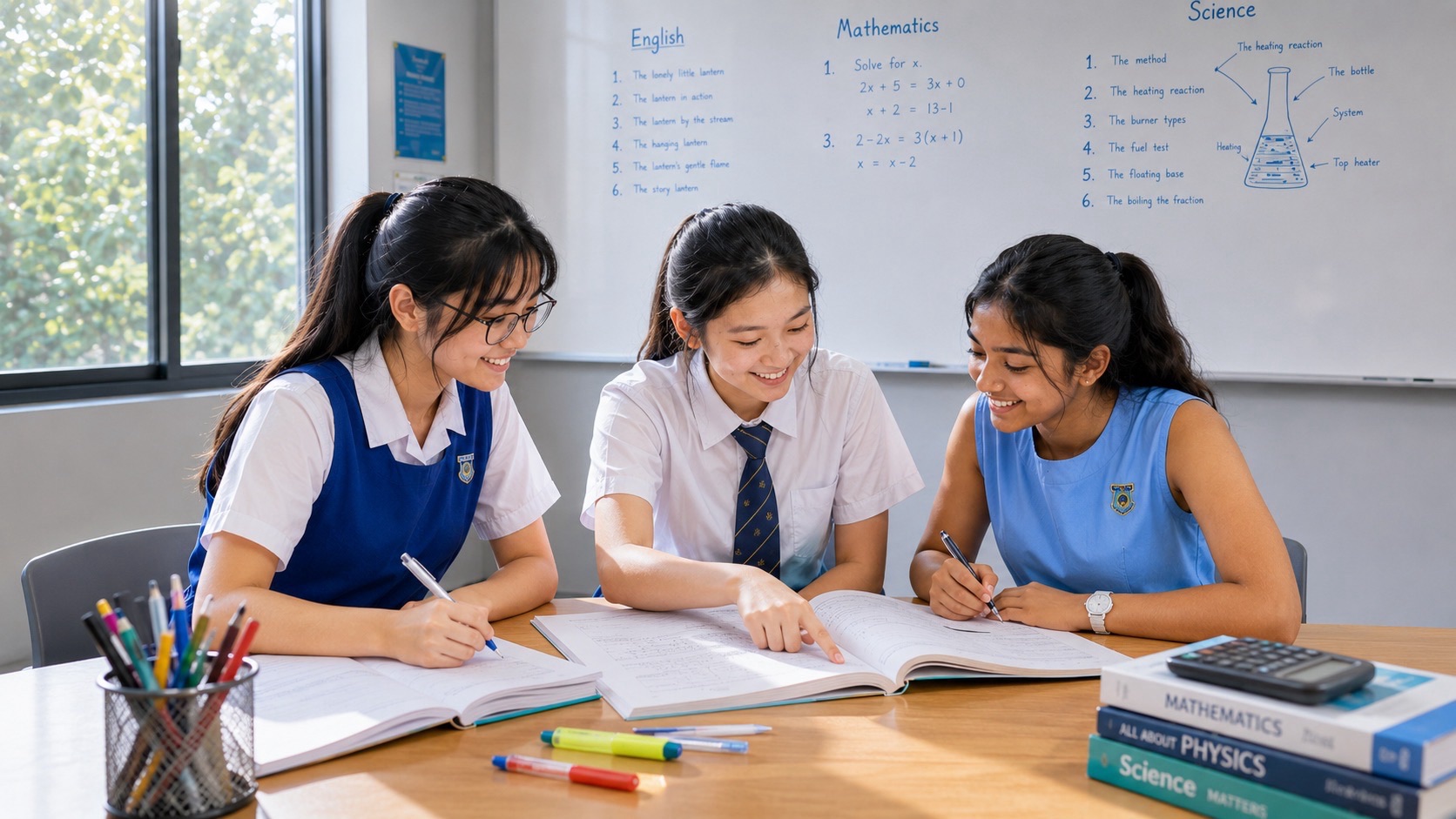
If your child enters Secondary 1 in 2027 through Posting Group 2 (PG2), help them turn digital school instructions into a short plan they can carry out. Start with the assigned task, the subject level where relevant, the deadline and the way work must be submitted. Ask your child to show where they found each detail. Then agree when they will work, what they can do independently and whom to ask if the task or access is unclear.
Use the school’s device instructions, the current Student Learning Space (SLS) guides and the teacher’s directions for any permitted digital or AI tool. Digital work still needs your child’s reading, reasoning and judgement. A useful home check is whether the student can explain the answer, locate its evidence and describe what help they received. SLS student functions · Guidance on generative AI
- Read the complete task and confirm its deadline, required output and submission instructions.
- Check the school notice before buying or configuring a Personal Learning Device.
- Use the teacher’s stated rules for outside help, collaboration and AI.
- Verify claims by opening relevant sources and checking what they actually say.
- Keep a record of evidence and permitted assistance while the task is in progress.
- Ask the school for help with access, device problems or unclear requirements while there is time to respond.
Contents
- Start with the task your child actually has
- Prepare the device through the school's instructions
- Organise one work session with a visible finish
- Verify a claim by finding the evidence behind it
- Decide whether an AI tool is permitted for this task
- Check generated content with an independent method
- Keep a record of sources and assistance while working
- Agree on device use around the school week
- Ask for help with the part that is unclear
- Work through a complete verification example
- Make the next digital task easier to manage
Start with the task your child actually has
A digital platform can display several assignments, class groups and messages. A child may open the first visible card and assume it is the whole evening’s work. Ask them to read what they have been assigned in each relevant class and identify what needs attention first. If the student takes G2 Mathematics and G3 Science, the class groups and instructions may differ. The child’s official timetable and assigned resources can help confirm where each task belongs.
Make the first home conversation practical. “What do you need to produce?” can lead to a written response, a set of answers, an audio recording or a contribution to a group project. “Where will you put it?” identifies whether the teacher expects a response inside the platform, an attached file or work brought to class. “When is it due?” makes time visible. The student should be able to point to the instructions that support the answers.
A lesson may include explanation, practice, feedback and a follow-up activity. Scanning only for the first question can leave the student uncertain about the method or evidence. Ask your child to locate the task overview and read the relevant sections in order. A school resource might ask the student to view something before attempting questions or to revise an answer after feedback. The teacher’s task is the reference for those steps. About SLS assignments
Put the task into the student’s own words
Suppose a fictional English assignment asks students to read two short accounts and explain one difference in how the writers present the event. A child may say the task is “write about the event.” That description misses the comparison. Ask them to name the two sources, what kind of difference they need to identify and which detail they will use as support. A clearer plan is to identify one difference, select a detail from each account and explain how the details show it.
For a Mathematics task, the child may need to solve a question and upload working. A final answer alone might leave out the required reasoning. Ask the student how they will make the working readable and whether they need to type it or use another teacher-approved format. A Science task may ask for a conclusion and a limitation. If the student gives only the conclusion, the missing part comes from the instruction, regardless of whether the conclusion is correct.
The aim is a short description accurate enough to guide the work. A child can write a sentence in a planner or on paper. If the description is wrong, correct it before opening several resources. This saves time and makes it easier for the student to decide which information they actually need.
Check the whole list when a task seems missing
SLS provides views of assignments and class groups. The homepage gives a limited view of upcoming incomplete work; the assignment pages and filters help students find other tasks. If a child cannot see a piece of work, check the official current guide and the teacher’s instructions rather than assuming it was never assigned. A status or group filter can affect what is visible. Finding assignments in SLS
Ask the student to explain what they already checked before contacting the teacher. They can name the subject, assignment title if known, class group and where they looked. Avoid sending passwords or account details in a group chat. A specific message about the missing task helps staff locate the issue. If the problem concerns a login, use the school or official support route for that account.
A child can also confuse a completed task with a current task bearing a similar name. Read the title, teacher, date and instructions together. If the teacher has updated a resource, follow the current directions. Keep a note of the question that remains unclear so the student can ask it at the next appropriate opportunity.
Prepare the device through the school’s instructions
Read the incoming school’s notice about its Personal Learning Device (PLD) programme, purchasing process and support. The device must suit the school’s learning arrangements. A family with an existing device can ask how the school considers it and what requirements apply. A device bought before the school confirms its process may create extra questions about compatibility, management or support.
Record which decisions the school is asking the parent to make, which items require a response and when the next notice will arrive. If costs or access are difficult, contact the school early about available arrangements. Ask the child what they can do while waiting, such as completing a paper component or planning a response, according to the teacher’s directions. The school can explain the option that fits the actual assignment and situation.
Device Management Application (DMA) arrangements and school procedures can change. Use the current notice for your child’s cohort and the school contact route for its configuration, options and hours. Ask what the family needs to understand about learning access and use outside school. If a particular site or feature is unavailable, tell the teacher or relevant school staff which learning task is affected. Follow the school’s process for resolving the issue.
Check practical readiness before the school day
A manageable routine might include charging the device, checking requested accessories and packing it as instructed. Let the student do the check and ask them to explain which notice tells them what is needed. If an accessory is lost or damaged, report it through the school’s usual route and ask how to prepare for lessons in the meantime.
Practise opening one approved resource, locating a file and following the submission instruction before a busy week. The child can learn a small sequence and repeat it. If the teacher requires a particular file format, ask the student to check it in the original instruction rather than rely on a friend’s memory. If they have difficulty using the device for a reading, writing or access need, discuss appropriate support with the school.
A student who is confident with games or messaging may still need teaching in file organisation, reading a task description or recognising a submission state. Treat those as school skills. Give the child a chance to demonstrate each one and ask for help where the steps are unfamiliar.
Use official help for account access
The current SLS login guidance describes routes using MIMS or an SLS account, with instructions appropriate to the account type. Read that guide and the school’s directions when access is unclear. If the student cannot sign in, the official guide directs them towards school assistance for relevant account issues. The student should use the route that applies to their own account. Current SLS student login guidance
A useful message to school staff describes the account or platform involved, the task the student needs to access and the visible error. Use the private contact channel the school specifies. The child can explain whether the problem appears at login, opening the task or submitting the response. Those stages may need different help.
Before a deadline, contact the teacher promptly if an access problem prevents progress. Ask what work the child can complete and how to show it while the issue is being resolved. Keep a record of the teacher’s advice. A student who reports the problem clearly and follows the agreed next step is practising responsibility for their learning.
Contents · Previous chapter · Next chapter
Organise one work session with a visible finish
Ask the child to select a specific task and define what a completed session will produce. “Do English” can expand indefinitely. “Read the two accounts and draft one supported comparison” gives a visible outcome. The student can identify the resource and keep the task instructions nearby. If another assignment comes to mind, write it in a planner rather than switching immediately.
Agree on a work period that fits the evening and the student’s current capacity. A short check-in can happen at a planned point. Ask what is complete, what remains and whether the difficulty concerns the content or the digital process. If the student is still trying to find a resource, address that first. If they have all the materials and are unsure how to begin, ask them to explain the first question.
The finish should include a check against the instructions. A file saved on the device may still need to be attached or submitted. A draft answer may need revision before a teacher can see it. Ask your child what the platform or teacher’s process shows after submission and how they can confirm the required action was completed. Use the actual task’s directions for this check.
Make the next action small when work feels overwhelming
Imagine a student facing a long page with several sections. They say they cannot do the assignment. Ask them to identify the first section’s purpose and choose one step, such as reading the paragraph, locating the diagram or writing a question about an unfamiliar word. Once that step is complete, they can decide the next. The small action should still move towards the assigned outcome.
If the difficulty is navigation, rehearse it once. The student can show how they reach the class group, locate the task and return to the instruction after looking at a resource. A simple paper note can hold the sequence until it becomes familiar. If the difficulty is reading, the teacher may advise a suitable way to access the material. Discuss an observed problem rather than assuming the child needs more device time.
A parent can help the child plan without taking over the schoolwork. Ask the student to read back the task and explain what they intend to write. If they cannot yet explain it, choose a relevant question or ask the teacher for clarification. Once the child has a workable first step, give them space to attempt it and return at the agreed check.
Retrieve feedback as part of the next session
A completed assignment can contain feedback useful for a later task. Ask the child which comment they need to apply next. If the teacher highlighted missing evidence, the next session can include choosing one supporting detail before drafting. If the difficulty was units in Science, the student can read each heading and write the unit beside the number. Viewing completed SLS assignments
Keep one example of the first response and the revised response if the school process permits. Ask the child to explain what changed. This record can be useful when a parent or teacher is trying to understand whether the student can act on feedback. The quality of that explanation often gives a clearer picture than the fact that a platform shows an assignment as complete.
Contents · Previous chapter · Next chapter
Verify a claim by finding the evidence behind it
Begin with the exact claim. A search result, a message, a webpage and a generated answer may each contain several statements. Ask the student which one they plan to use. “This park closes at six” is a claim about a place and time. “This method always reduces waste” is a broader claim about a result. Each needs evidence matched to the question.
Open the relevant source and read enough to see the conditions. Identify who published it, what it describes, the date and whether the information applies to the task. For a school procedure, use the school’s current instructions or the official service guidance. For a factual subject question, begin with teacher-approved resources and primary evidence where the task calls for it. A page can have an authoritative publisher and still describe the wrong year or group.
Record the page title or document name, the part used and the link if the teacher asks for it. Add a brief note in the student’s own words saying what the source supports. This prevents a reference list from becoming a set of links the child cannot explain. It also makes checking quicker when a teacher asks where a figure came from. MOE’s Cyber Wellness guidance encourages checking information against credible sources and asking a trusted adult when uncertain. Cyber Wellness guidance for families
A worked example about a timetable
Use an invented situation. A student is writing a plan for attending a school workshop. A forwarded image says the event starts at 9 a.m. A school webpage says registration opens at 9 a.m. and the workshop begins at 9.30 a.m. The webpage names the correct date and venue. Ask which time belongs in the arrival plan and which belongs in a sentence about the workshop start.
A sensible plan uses the school’s stated registration time and any reporting instruction. The workshop start is 9.30 a.m. The forwarded image may have shortened two different actions into one. The student’s work can say exactly which time refers to which event and link the current notice. If the school issues a later update, the student should check it before finalising the plan.
Now change the source. Suppose the school webpage is for last year’s workshop. The publisher is still relevant, but the notice does not confirm this year’s details. The student should find the current announcement or ask the school. The source check needs both authority and applicability. A recognisable name alone cannot answer a question about a different intake or date.
A worked example about a number
A fictional survey reports that 18 out of 30 students preferred a new seating plan. A short summary says “Almost everyone preferred it.” Ask your child to calculate the proportion and decide whether the wording fits. Eighteen divided by 30 is 0.6, or 60%. The majority preferred it, and 40% did not choose that response. “Almost everyone” overstates the supplied result.
Ask what the survey can tell us. It records preferences among the 30 students surveyed under the stated question. It does not establish what all students at another school would prefer or whether the plan improves learning. Those would require different evidence. A student can use the figure accurately while keeping the claim within the survey’s scope.
If a generated answer repeats the exaggerated summary, verification starts with the supplied survey. The student should correct the wording and explain the calculation. Asking the same tool to confirm itself may produce another confident sentence. The original evidence gives a better basis for checking the claim.
A worked example about a picture
Imagine two versions of an event poster. One is a screenshot cropped to show “Friday” and a venue. The other is the full notice showing the date, organiser and a note that the venue applies only if it rains. Ask the student which missing details affect their plan. The date establishes which Friday, and the weather condition affects the location.
A child can compare the crop with the original notice and write a corrected message: “The outdoor venue is the default. The indoor venue is used if the school announces the wet-weather plan.” The exact wording should follow the fictional notice. The practice is checking what a picture leaves out before forwarding it or using it as evidence.
Contents · Previous chapter · Next chapter
Decide whether an AI tool is permitted for this task
Read the teacher’s instructions before choosing a tool. A task may ask for independent work, allow discussion, provide a particular learning assistant or ask students to analyse AI output. The student needs to know what help is permitted and how any assistance should be acknowledged. If the instruction is unclear, ask the teacher a focused question before using the tool for the submitted work.
A practical question names the action. “May I ask a tool for questions to test my understanding?” is clearer than “May I use AI?” Other actions include generating a first draft, translating a response, checking grammar, producing code or suggesting sources. A teacher may treat these differently depending on the learning goal. The student’s plan should match the actual permission.
MOE’s public generative AI guidance recognises opportunities and challenges and provides parent resources. It describes appropriate use as depending on students having the underlying concepts and thinking skills. A family can discuss the same issue through a small test: can the student explain the method, judge a proposed answer and do a related task independently? Generative AI guidance and parent resources
Check what kind of help changed the work
Suppose a student has written a paragraph comparing two characters. A permitted tool suggests a clearer order for the student’s ideas. The student can consider the suggestion, check it against the evidence and record the help as required. If the tool instead invents a character’s action and the student includes it, the final paragraph now contains a factual error. If it writes the whole interpretation the student cannot explain, the teacher has less evidence of the child’s own reading.
Ask the student to point to what they wrote before the assistance and what changed afterwards. They can describe whether the tool suggested wording, supplied an idea, corrected a calculation or offered a source. That description helps them assess the contribution and follow the teacher’s acknowledgement instructions. It also reveals a useful skill to practise independently.
A student may think that changing a few words makes a generated answer their own. Ask them to explain the reasoning with the source closed. If they cannot, return to the relevant paragraph, diagram or lesson and rebuild the answer from what they understand. The teacher can advise how to handle work already completed with assistance that exceeded the instruction.
Use a learning assistant for a specific allowed purpose
When a teacher provides a learning assistant within an activity, read the task’s directions for how to use it. A student might be asked to discuss an idea, answer questions or review an explanation. The assistant’s response still needs judgement. The current SLS guidance provides instructions for the learning assistant and the activities in which pupils encounter it. Learning assistant guidance for students
A useful allowed request might focus on the next step in understanding. For example, the student could ask for a question that checks whether they understand the difference between a change in volume and a final volume. They can attempt the question, compare their reasoning with class material and ask the teacher if a discrepancy remains. The learning benefit comes from the child’s attempt and the checking that follows.
Keep the task’s boundaries clear. If the teacher has provided one tool or one activity, that does not establish permission for every external service. Use school-approved accounts and directions. External services can have their own age requirements, privacy terms and access arrangements. The school can explain the options it expects pupils to use for schoolwork.
Contents · Previous chapter · Next chapter
Check generated content with an independent method
Begin with a claim that can be checked. If a tool gives a calculation, redo it using the method taught in class. If it gives a factual statement, locate an appropriate source. If it proposes a quote, find the quoted passage in the actual text. If it gives an interpretation, compare the evidence and consider whether another reading fits better. A fluent paragraph can contain a mixture of correct details and unsupported additions.
Ask the student to choose one sentence that matters most to their answer and verify it fully. This can be more instructive than saying “check everything” without showing how. The child can identify the evidence, compare wording and record any correction. Once they can do that independently, use a second sentence with a different type of claim.
MOE’s 2026 announcements state that Cyber Wellness lessons have been updated to include checking AI-generated information and identifying deepfakes. At home, a small worked example can make that skill visible. Keep the exercise tied to a real learning need and the child’s permitted tools. AI literacy and Cyber Wellness updates
Check a calculation by substitution
Imagine a tool says that the solution to 3x + 5 = 20 is x = 8. Ask the student to substitute 8 into the original equation. Three times eight plus five is 29, which does not equal 20. Subtracting five from each side gives 3x = 15, and dividing by three gives x = 5. Substitution now gives 3 × 5 + 5 = 20.
The student can record the mistake and the independent check. The tool’s confident presentation does not change the arithmetic. Ask a related question, such as 4y + 3 = 19, and let the student solve and check it. The solution is y = 4 because 4 × 4 + 3 = 19. The fresh example shows whether the student understands the method rather than only following the correction.
A calculator can support arithmetic when the task permits it, but the student still needs to enter the intended expression and interpret the result. Ask them to write the expression first. If a display seems surprising, compare the input with the original question before accepting or rejecting the result. This habit applies to many digital tools.
Check a quotation against the text
Use an invented passage. “Maya left the umbrella by the door and watched the rain gather on the steps. She waited until her brother called before moving.” A generated response claims that Maya says, “I am afraid to go outside.” That sentence does not appear in the passage. The student can reject the quotation and choose an actual detail, such as her waiting before moving, to support a cautious interpretation.
The student could argue that Maya seems hesitant, while acknowledging that the passage does not tell us the reason directly. Another interpretation could involve waiting for a sibling rather than fear. The task may ask for a supported inference, in which case the student needs to show why their chosen reading fits. An invented quote hides the difference between evidence and interpretation.
If the work requires a reference, follow the teacher’s method for identifying the passage and location. Keep the quotation short and accurate. A child’s own explanation should do the work of connecting it to the claim. Quoting a whole paragraph can make the answer longer without making the reasoning clearer.
Check a source that looks plausible
A tool might supply a title, author, date and link that look like a source. Open the source and verify that it exists, that the title and date match and that the relevant claim appears there. If the page cannot be located, the claim remains unverified. A student can use a different valid source or ask the teacher how to proceed, according to the task.
Consider a fictional project about shade and temperature. A generated answer names a study and claims that every tree lowers the temperature by exactly five degrees. The student should ask what was measured, where and under which conditions. A real study might discuss a particular setting, time or measurement method. Even if a similar figure appears somewhere, the word “every” may go beyond the evidence.
The student can rewrite a claim to fit the source they actually found. They might describe a reported effect in the study’s setting and identify the relevant conditions. If the task needs local evidence, they should look for an appropriate local source or explain the limitation. A citation has value when it supports the sentence beside it.
Check a recommendation against the actual task
A tool may suggest an impressive presentation with animations, a long script and several charts. The teacher may have asked for a two-minute explanation using one piece of evidence. Ask which proposed features serve that outcome. The student can choose a simple format that makes their reasoning easy to follow and meets the instructions.
For example, a Geography task asks the child to explain one difference between two neighbourhood maps. A single marked map and a short supported explanation may meet the task. A generated tour of the city’s history could add unrelated material. The student should choose evidence and structure based on the question, rather than the volume of content a tool can produce.
Contents · Previous chapter · Next chapter
Keep a record of sources and assistance while working
A brief working record can include the source title, link, useful detail and the student’s reason for using it. If AI assistance is allowed, record the tool, the action requested, what was used and what was checked, following the teacher’s requirements. Writing this during the task is easier than reconstructing it after the final response is complete.
A record might say that the student read a school notice to confirm the workshop date, used a class text to check a scientific term and asked an approved tool for a practice question. The submitted answer should still meet the task and attribution instructions. The record helps the child explain how they reached it.
Sources can disagree because they describe different dates, populations or definitions. Note the difference before choosing which applies. A page reporting a historical result and a page announcing a future plan may use similar language. The student needs to identify which one answers the actual question. This is especially important when a project concerns education, public services or other information that changes.
Distinguish a quotation, a paraphrase and an idea
A quotation uses the source’s exact wording and needs to be marked and referenced as the teacher requires. A paraphrase explains the source’s point in new wording while still acknowledging the source. The student’s own idea may connect several pieces of evidence or propose an interpretation. It should be clear how that idea follows from the material.
Give the child a short original sentence for practice: “The club surveyed 24 pupils, and 15 preferred holding practice on Thursday.” An accurate paraphrase could say that Thursday was the preferred option for 15 of the 24 pupils surveyed. Changing “club” to “school” would add a detail. Saying the majority of all pupils prefer Thursday would expand the population beyond the evidence.
Ask the student to label the parts of a draft. Which sentence reports evidence? Which explains what it means? Which proposes an action? This makes it easier to see where a source is needed and where the child’s reasoning begins. It also helps avoid a paragraph that strings together facts without answering the question.
Make collaboration visible
A group project can involve shared research and individual contributions. Read the teacher’s instructions for what may be discussed and what each student must submit. The group can record who is checking a source, preparing a diagram or drafting a particular section. Members should understand the whole argument well enough to present it accurately.
If one student produces a paragraph with outside assistance, the group needs to know what help was used and whether it fits the task rules. A shared file does not automatically make every contribution acceptable. Ask the child how the group checks claims and acknowledges sources before combining the work. A short review meeting can focus on the main claim, the strongest evidence and anything still uncertain.
When disagreement arises, return to the evidence or the instruction. A child can say, “This figure describes last year, so we should label it,” or “The task asks for one recommendation, so let’s explain which one we chose.” These specific comments help the group make a decision. They also provide a useful way for a quieter student to contribute.
Contents · Previous chapter · Next chapter
Agree on device use around the school week
Ask your child which parts of the evening need a device and which can be done on paper or through discussion. A reading task, a typed response and a video lesson may use the same screen in different ways. A home plan can name the purpose, the expected work period and the point at which the student checks progress. Review the plan when the timetable or workload changes.
Discuss what tends to interrupt the work. It may be messages, several open tasks, difficulty finding a file or a habit of checking another resource before finishing the current one. Choose one adjustment that addresses the observed interruption. The student might close unrelated tabs, write questions in a notebook or schedule a short time to check class messages before beginning.
MOE’s parent resources encourage active involvement, conversations and shared guidelines about device use. A family can apply that by agreeing what the child will show at the end of a work period and how to ask for help. The aim is a routine the child can increasingly manage. Raising a digitally smart child
Review the plan using evidence from one week
At the end of the week, ask which tasks were completed as planned and where time was lost. Look at the actual work and deadlines. If the child repeatedly needs longer for a particular subject, investigate the content or instructions. If the work is ready but submission is missed, rehearse the finishing steps. A general argument about screen time may overlook the specific skill causing difficulty.
A student might discover that a five-minute planning conversation prevents half an hour of searching later. Another may work more comfortably when the source text and response are arranged so they can compare them easily. A third may need to ask the teacher how to use a platform feature. Keep the successful adjustment and choose the next small change when necessary.
A parent can model the same habit by explaining how they check a message, organise a document or verify a claim. Show one process and let the child try it on their own task. The useful example is how a person makes a decision with information, including when to ask for help.
Contents · Previous chapter · Next chapter
Ask for help with the part that is unclear
A clear message names the task, the problem and what the student has tried. For a content question, the child might write that they identified two readings but are unsure whether to compare the final values or the changes. For a platform issue, they might say the file opens but they cannot identify the required submission action. The teacher can respond more directly when the stage of difficulty is visible.
Use the school’s expected contact route and timing. A child should know whom to ask about an assignment, an account or device support. If an issue affects a deadline, report it while there is time to discuss the next step. Keep any relevant instruction or acknowledgement so the student knows what to do when they return to the work.
If a student used help beyond what the task allowed, encourage an accurate account to the teacher. They can describe what was used, what they understand independently and which parts need to be redone under the teacher’s guidance. The school determines the appropriate response. A parent can help the child explain the facts and carry out the agreed action.
Prepare the child to explain the work aloud
Choose one submitted or nearly completed answer and ask the child to explain it without reading every sentence. They should be able to name the question, the evidence and the reasoning. If a term is unfamiliar, ask them to find its meaning in the relevant lesson or source and explain how it fits. A polished answer that the student cannot explain identifies a learning gap to address.
Try a fresh variation. If the original task compared a larger and smaller pack by price per 100 grams, change the pack sizes and prices. If it asked for an inference from a passage, use another short passage. The student can show whether they can select the method independently. If they need a hint, record what kind of hint helped. This is useful information for a teacher trying to understand progress.
The aloud explanation should feel like a conversation about the work. Let the child correct themselves and point to evidence. If the student becomes anxious, choose a smaller part, such as explaining why one number was used. A short successful explanation can provide a starting point for a more difficult question later.
Contents · Previous chapter · Next chapter
Work through a complete verification example
Use this fictional task: a class is proposing a quiet reading corner and must recommend a location using a short survey, a room plan and a timetable. The survey has 40 responses. Twenty-four pupils choose the library corridor, ten choose a classroom corner and six choose the hall foyer. The room plan shows the library corridor beside a busy entrance. The timetable says the entrance is used for movement between lessons at two periods each morning.
A generated draft says, “Nearly all students chose the library corridor, so it is always quiet and is clearly the best location.” Ask the student to check each part. Twenty-four out of 40 is 60%, which is a majority. It does not support “nearly all.” Preference does not establish quietness. The plan and timetable raise a question about movement and noise at particular times. “Best” needs criteria that the group has agreed.
A stronger recommendation could say that the library corridor was the most popular option among respondents, with 24 of 40 choosing it. Before recommending it as a quiet reading corner, the group should check noise and movement at the times pupils would use it. The classroom corner may deserve comparison under the same criteria. The evidence supports a preference result and a need for further checking.
Choose the evidence still needed
Ask what observation would help the group decide. A relevant plan might involve the teacher arranging an appropriate way to compare the spaces at the intended times, using the school’s rules. The group could record whether movement interrupts reading and whether the space can accommodate the intended number of pupils. The precise method would need teacher approval and should fit the task.
A student might suggest asking more people which location they prefer. That could improve information about preference, but it would not directly measure quietness. Discuss the difference between the claim and the evidence needed. The child can propose a question that actually addresses the uncertainty, such as what happens in each space during the proposed reading period.
If the assignment only permits the supplied information, the recommendation should acknowledge the limit. The student can explain why the corridor is promising and what needs checking before a final decision. Good reasoning can include uncertainty when the evidence leaves a question open.
Keep an honest record of assistance
Suppose the teacher allowed AI for critiquing a draft and required a short acknowledgement. The student can record that a tool generated an initial recommendation, that they checked its claims against the survey and timetable, and that they revised the conclusion. The exact acknowledgement should follow the teacher’s instructions. The student should retain enough working evidence to explain what changed.
If the teacher instead required independent work, the student should not use that generated recommendation for the submitted response. They can ask how to proceed if the assistance has already occurred. The rule comes from the particular task. A family’s experience with a different assignment does not establish permission here.
The completed answer can then be checked against the original prompt. Does it recommend a location or explain why a final recommendation is conditional? Does it use the required sources? Does it fit the length or format? Has it been submitted through the required route? These questions connect digital process, source checking and subject reasoning.
Test whether the checking method transfers
Give a second fictional claim after the reading-corner discussion. A club has 25 members, and 15 attended an optional practice. A message says the practice was compulsory because most members attended. Ask the child which statement is supported by the numbers and which requires another source. Fifteen of 25 is 60%, so most members attended. Attendance figures do not establish whether attendance was required. The club’s current instruction or notice would answer that question.
Now add a notice saying the practice was optional for students who had completed another commitment. The student should read that condition before summarising. “The practice was optional for everyone” may still be inaccurate if the notice describes only one group. A careful answer names the group to which the instruction applies. This is the same skill used when reading a task assigned to a particular class or a school notice for a particular intake.
Ask the child to explain the checking method in one sentence. A useful response is that they identified the claim, selected evidence suited to it and checked the conditions before writing. They can use that method when the next answer comes from a website, a classmate or an approved learning assistant. The method stays useful as particular platforms change.
If the child checks only the percentage and misses the requirement claim, start there in the next practice. If they identify both but struggle to locate the right notice, practise finding the publisher, date and scope. The aim is a process the student can carry into their actual schoolwork and explain when a teacher asks how they reached a conclusion.
Contents · Previous chapter · Next chapter
Make the next digital task easier to manage
Choose one skill for the coming week. It might be reading the full task before beginning, keeping a source record, checking a calculation independently or confirming submission. Ask the child to choose a task where that skill will matter. Agree what evidence of progress they will show, such as a checked equation, a source note or a response that uses feedback.
When the task is complete, ask the child what they could do with less help and what remains uncertain. Keep the example that shows the skill. If a difficulty persists, use the example to ask the teacher a specific question. The next conversation can begin with actual work, the assistance used and the student’s own explanation of what they learned.
Let the student keep the plan in a form they will use, whether that is a paper checklist or a school-approved planner. Review it when a new subject, platform or assignment format introduces a different demand.