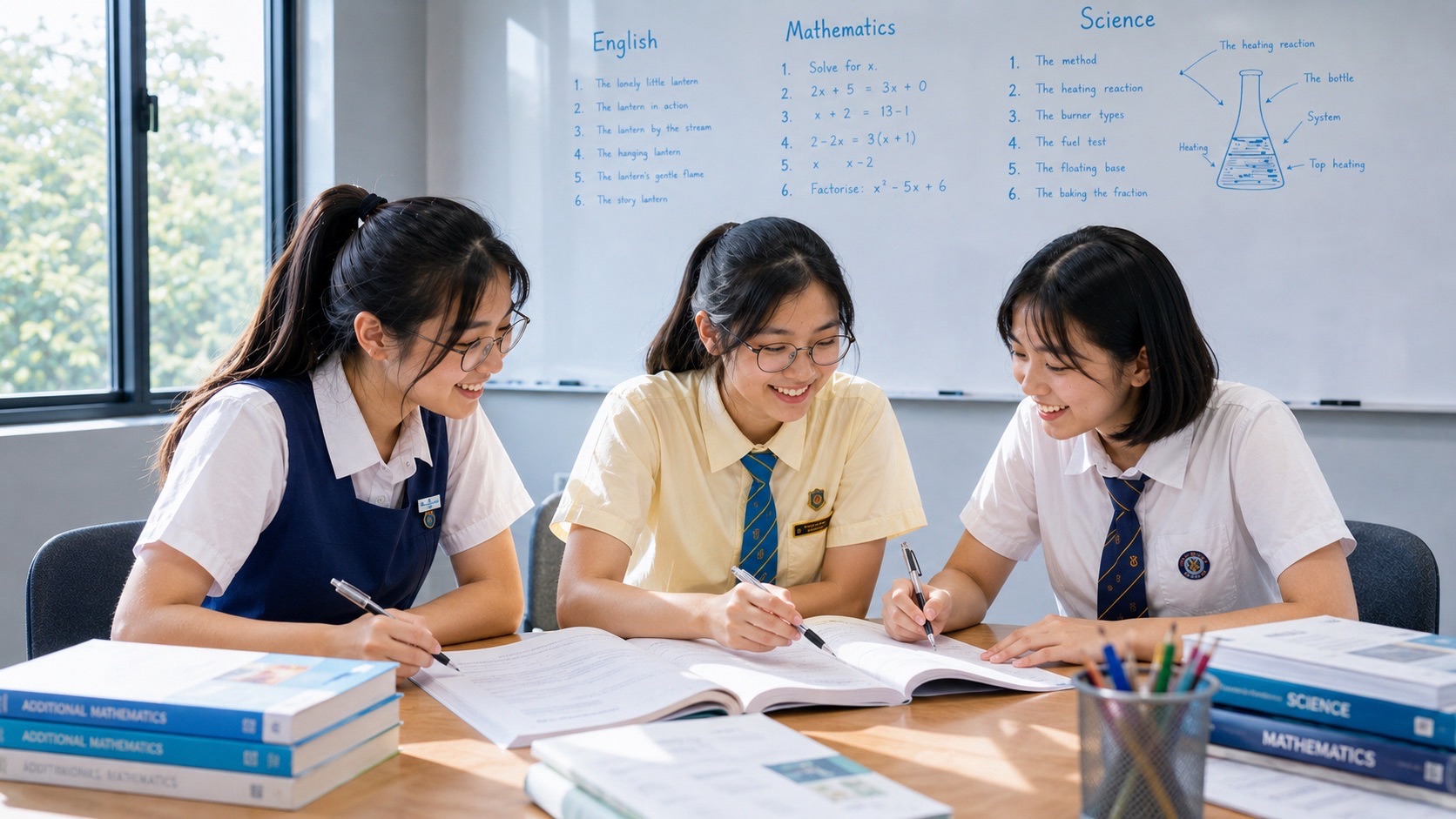
How do you study Computing under Full Subject-Based Banding (Full SBB)? Confirm whether your school offers G1, G2 or G3 Computing, then practise by describing the problem, building a logical solution, testing it with varied inputs, finding the first incorrect step and explaining the correction. A student who can follow a coding tutorial but cannot repair their own program has not yet demonstrated independent mastery. Computing also includes digital representations, appropriate use of software and responsible handling of data, according to the actual subject syllabus.
Computing is not the same thing as knowing how to use a personal learning device or asking an AI assistant to write code. From the first 2027 SEC, SEAB lists a new G1 Computing syllabus K127 and a new G2 Computing syllabus K237 alongside G3 Computing K349. The curricular demands and authorised practical software differ. A strong study system must respect the actual G-level and school equipment while building concepts that travel between tasks: sequence, selection, repetition, data, decomposition, testing and ethical judgement. Students should also distinguish examinable Computing from the wider digital literacy and AI learning offered through school programmes.
Start here:
- Check the subject and G-level actually offered; the full SEC syllabus directory is not a promise that every school offers Computing.
- Identify the relevant 2027 syllabus code or the later graduating-year syllabus that applies to the student.
- Read the problem before opening software. State what the program or digital product must do.
- Predict the outcome of a small example before running the program.
- Use a trace table or simple test log to find the earliest incorrect step.
- Practise original solutions and changed inputs, not just copying a tutorial.
- Protect credentials, personal information and school-managed device settings.
- Use AI tools only as school rules permit; verify generated explanations and code independently.
For 2027, the SEAB private-candidate syllabus directory specifies Microsoft Office Word, Excel, PowerPoint and Scratch for G1 Computing; Excel, PowerPoint and Scratch for G2 Computing; and Excel, Python and JupyterLab Desktop for G3 Computing. School candidates should confirm the actual permitted software, versions, practical arrangements and examination instructions with the school and SEAB. The differences mean that a G3 Python tutorial is not automatically appropriate preparation for a G1 Scratch assessment.
1. Three Computing levels are not one undifferentiated coding course
Under Full SBB, students can offer subjects at different G-levels according to school arrangements and applicable criteria. A student might learn one subject at G2 while another is at G3. This does not make the student’s computer skills predictable from their Posting Group. The correct planning information is the actual Computing subject, teacher, software environment and syllabus.
The 2027 SEC lists three Computing entries: G1 K127, G2 K237 and G3 K349. The G1 and G2 entries are marked new, with official specimen paper links in the SEAB directories. The G3 syllabus has its own course scope and assessment expectations. Students should not treat the appearance of the word “Computing” in all three as evidence that the practical examination is identical.
Check the 2027 subject before practising
| Level | SEC code | Software listed for private candidates | First study decision |
|---|---|---|---|
| G1 | K127 | Word, Excel, PowerPoint, Scratch | Build accurate digital tasks and block-programming fundamentals as prescribed |
| G2 | K237 | Excel, PowerPoint, Scratch | Verify deeper practical and programming demands from the actual syllabus |
| G3 | K349 | Excel, Python, JupyterLab Desktop | Work on the specific programming and Computing theory requirements |
These software names are drawn from SEAB’s 2027 private-candidate information, which is useful for understanding the different environments. School candidates register through their schools and must follow the school-candidate syllabus and examination arrangements. Installed versions, permitted files and candidate procedures can change; check the current official documents.
2. Digital literacy, Computing and using a PLD are related but distinct
All students can benefit from digital literacy: finding information, evaluating credibility, protecting accounts, making responsible digital artefacts and understanding limitations of AI. Computing as an examinable subject goes deeper into technical knowledge and problem solving. A personal learning device is the hardware and managed environment used for school learning; owning or using it does not establish proficiency in a Computing syllabus.
MOE’s 2026 announcements state that AI literacy will be strengthened across curriculum and co-curriculum, with an updated Code for Fun programme available to all schools in 2027 and renewed cyber wellness learning on checking AI output and identifying deepfakes. These are wider educational developments, not proof that every student must take a national Computing examination.
A family should decide which question it is trying to answer: “How do I use SLS safely?”, “How do I learn programming?” or “Which K127/K237/K349 syllabus applies?” Mixing these leads to unsuitable worksheets and confusion about assessment.
3. Computational thinking begins before the keyboard
Computational thinking involves representing a problem precisely enough to develop and test a solution. It can involve decomposition, recognising relevant patterns, abstraction and algorithms. Students who open a coding editor immediately sometimes begin creating screens or animations without deciding what the solution must accomplish.
For a simple school-approved problem, suppose a program should decide whether a library loan is overdue according to a given return date. The first question is not which colour the button should be. It is what inputs are required, what rule determines the result and what should happen when information is missing or invalid.
Write the behaviour in ordinary language, then construct a flowchart or pseudocode at the depth required by the syllabus. A good design is testable before it is attractive.
4. Decomposition: solve smaller questions in a meaningful order
Large tasks are easier to understand when separated into connected subproblems. A school event registration system might need to collect authorised information, validate entries, store approved data and present a confirmation. Each subproblem has an identifiable role.
Decomposition does not mean cutting a program into arbitrary lines. The parts should correspond to meaningful functions that can be tested. Ask what each part expects as input and what it should produce.
When an error occurs, knowing the modules helps locate the first failing behaviour. This is more useful than randomly editing the entire program until a single example happens to work.
5. Abstraction: what matters, and what can be ignored?
A model does not need every real-world detail. It needs the information relevant to the question. For a simplified classroom timetable checker, the important details might be the period, room and subject. The student’s favourite colour is probably irrelevant unless it forms part of a specified accessibility or display requirement.
Ask the learner which information changes the output and which does not. Then test whether omitting a detail causes a real error. Abstraction is useful when it preserves the relationships that matter without drowning the solution in unrelated information.
Be cautious about simplifying away safety, privacy or user needs. Good abstraction does not excuse a system that cannot handle missing or unexpected data.
6. Algorithms: a sequence that another person can follow
An algorithm is a specified set of steps for solving a problem. Its clarity matters even before programming. A student might write: receive a number, check whether it is within a permitted range, calculate the result and display a message. Ask whether each step is unambiguous.
Consider instructions to find the largest of three values. “Look for the biggest” communicates intent but not a fully specified method. A more operational approach compares values and updates a provisional maximum. The student can trace the result for several inputs.
A working algorithm is not necessarily efficient or robust. Once it functions, ask whether the chosen steps handle tied values, invalid input or larger quantities when those cases fall within the actual task.
7. Sequence: order can change the result
In a program, the order of operations matters. Suppose an initial variable total is zero. If the program adds a price before computing a discount, that may differ from applying a discount to an individual item before adding it to a basket. The correct order depends on the problem’s defined rule.
Write down the state after each step and ask what each variable represents. A learner who can name the sequence and explain why it is correct has begun to move beyond memorising code shapes.
Change the input values and trace again. If the student only knows the output for one tutorial example, the skill remains fragile.
8. Selection: make the condition explicit
Selection allows behaviour to depend on a condition. A simple example might display “eligible” only when an invented threshold is met. The task must specify whether equality counts, what happens below the threshold and how invalid inputs are handled.
Students often confuse greater than with greater than or equal to. If the rule is “at least 10”, then a value of exactly 10 should be included. Test 9, 10 and 11 to reveal the boundary. This is more informative than testing only a value far above the threshold.
The same reasoning can be represented in Scratch blocks, Python or a flowchart, though the syntax and relevant assessment demands differ by syllabus.
9. Repetition: understand what makes a loop stop
Loops can repeat an action a specified number of times or until a condition is met. A student may copy a loop from a tutorial without understanding whether the condition will eventually become false.
Imagine a counter beginning at 1 and increasing until it exceeds 5. Trace the counter after each repetition. Does the task include 5? At what point does the loop stop? What happens if the counter is never updated? These questions expose off-by-one and non-terminating-loop errors.
Practise predicting behaviour before running the program. Students should use safe school-approved environments and avoid intentionally creating disruptive resource-heavy processes on shared systems.
10. Variables: choose names that reveal purpose
A variable holds a value or refers to data according to the programming environment. A student who calls everything x or temp may lose track of meaning in a longer task. Choose names such as itemCount or totalPrice when they communicate the intended quantity.
Ask what the variable represents, when it changes and whether its expected type is appropriate. For example, storing a score as text rather than a number can affect comparisons or calculations in some programming languages.
The exact syntax differs between Scratch blocks and Python. The transferable reasoning is to track state and meaning carefully, not pretend that the two environments use identical commands.
11. Data types: why a number is not always a number
Computers represent values in specific ways. A sequence of digits entered as text may behave differently from a numeric quantity. For example, joining strings “10” and “2” produces “102” in a string-concatenation context, while adding numeric values 10 and 2 gives 12.
Ask the learner which operation the task intends and what type of input is expected. Then test a changed value. Students should also recognise when data such as names, dates or identifiers should not be treated as ordinary quantities.
This principle supports spreadsheet work, program input validation and later Computing concepts without requiring the same syntax across all G-levels.
12. Input validation: correct output needs sensible boundaries
A program may perform well on one normal example and fail when the user types nothing, enters a negative quantity or provides an unexpected format. Input validation asks whether the data meet the conditions required for meaningful processing.
Suppose a school-approved exercise calculates the average of several non-negative marks. The student should consider what happens if there are no marks, a value lies outside the task’s permitted range or the number is not numeric. The exact validation checks depend on the brief.
Teach students to identify boundaries before coding. The goal is robust reasoning, not the blind addition of error messages.
13. Debugging: locate the first unexpected change
When a program fails, beginners often edit several lines randomly. That makes it difficult to identify the cause. A more reliable method is to reproduce the error, state the expected outcome and trace where the actual state first differs.
Use a simple table with step, variable values and output. If a program meant to count five iterations produces six results, inspect the starting counter, stopping condition and update. Make one targeted correction and rerun the boundary tests.
Debugging is not a punishment for writing imperfect code. It is a central part of software development and a transferable study habit: observe the discrepancy, find the first weak link, repair it and test again.
14. Syntax errors and logic errors are not the same
A syntax error occurs when code violates the programming language’s required form. A logic error occurs when the program runs but produces an unintended result. Students can waste time correcting syntax when the real issue is a mistaken formula or condition, or assume that code running without an error proves it is correct.
For a Python task, an indentation or punctuation mistake may prevent execution. For a Scratch task, blocks may fit together but produce an incorrect sequence. In both cases, the student should describe the intended behaviour and inspect the point at which the implementation differs.
Use teacher-approved tools and examples. Do not encourage students to bypass school device settings or download unauthorised debugging applications.
15. Test cases: ordinary, boundary and unexpected
One successful test is not proof that a program is reliable. Create cases that examine ordinary conditions, the edge of a permitted range and unexpected values. For a threshold check, try values just below, equal to and above the boundary.
A test case should include input, expected output, observed output and the conclusion. Write the expected result before running the program to avoid redefining success after seeing a surprising answer.
Students should test within safe, permitted limits. “Stress testing” a school network or another person’s account is not authorised simply because the student is learning Computing.
16. Trace tables are learning instruments, not clerical exercises
A trace table records how values change during an algorithm. The educational purpose is to make invisible program state visible. It can reveal whether an update occurs too early, whether a condition includes a boundary or whether a variable is overwritten unexpectedly.
For a running total, begin with zero and list each addition. Ask why the total changes and what it should be after each step. Then use a different sequence of inputs and see whether the learner can trace without a model answer.
Once the principle is secure, use the method selectively. The aim is independent reasoning, not filling long tables when a smaller check would answer the question.
17. Spreadsheet skills: a formula is not a reliable answer until the cells make sense
Spreadsheets can process information quickly, but a formula may refer to the wrong cell, mix text and numbers or calculate a total that does not match the intended range. Students should first identify what the data represent and what result is required.
Consider a simple table of quantities and prices. Ask whether the total should sum prices, multiply quantities by unit prices or calculate a discount. A correct-looking number can still answer the wrong question. Check units, cell references and assumptions.
After a successful formula, change an input value and predict how the result should change. This tests understanding more directly than merely copying formulas across cells.
18. Relative and absolute references: a small syntax choice with big effects
When formulas are copied in spreadsheets, relative cell references can change according to position, while absolute references stay anchored in a specified way. This distinction is useful when applying a fixed tax rate or conversion factor across several rows, within the learning scope.
A student might use a fixed cell holding an illustrative rate and mistakenly allow the reference to shift as the formula is copied. The resulting totals become inconsistent. Ask what should stay constant and what should change for each row.
Use the software and conventions prescribed by the school. Students should not treat a real tax or financial calculation as a high-stakes decision based on an unverified classroom worksheet.
19. Document processing: purpose, structure and accessibility
Creating a clear document requires more than choosing an attractive font. The student should identify the intended reader, required information, structure and level of readability. Headings should describe sections, tables should support comparison and the sequence should let the reader find what matters.
For a hypothetical school event notice, the reader needs the date, location, required action and contact route. Decorative graphics should not conceal these details. Check spelling, alignment, accessibility and the actual task requirements.
G1 Computing’s 2027 software listing includes Microsoft Word, but students at other levels should not infer the same examination task merely because word processing is useful in general school life.
20. Presentations: explain the idea rather than read a slide deck
A presentation should serve the message and audience. Students sometimes fill slides with paragraphs and then read them aloud without showing understanding. A better structure uses clear headings, a few appropriate data or visual elements and spoken explanation that connects them.
When a slide contains a chart, identify its variables, scale and conclusion. A visual can look authoritative while being misleading because of inappropriate ranges or missing context. Check sources and permissions before adding images or statistics.
For practical examinations, follow the exact prescribed application functions and output requirements. A general presentation tip is not a substitute for the Computing syllabus.
21. File names, formats and saving are part of the workflow
A well-designed spreadsheet or program can still be lost if the student saves it in the wrong location or submits the wrong file. Follow the school’s prescribed storage and submission conventions. Use clear file names and verify the saved output opens correctly.
Do not assume every software environment permits arbitrary cloud storage, external drives or internet access during a national examination. Those details belong to the official candidate instructions.
At home, use school-approved backups and keep private student information secure. File management is both a practical skill and a habit that reduces avoidable assessment problems.
22. Binary and data representation: understand why computers need encoding
Digital systems store and process information using representations. Students may encounter binary, storage units and other data concepts at different depths, particularly in G3 Computing. The underlying question is how quantities, characters, images or instructions are represented so a machine can operate on them.
For a simple numerical illustration, binary 101 represents the value five in decimal because it means four plus zero twos plus one. Ask the learner to explain the place values, then translate a different small number. Recognising the structure is more valuable than memorising a conversion table without understanding it.
Follow the actual syllabus for the required number systems, precision and more advanced representations. G1 and G2 courses should not be treated as identical to the G3 theory specification.
23. Logic and truth tables: make conditions testable
Logical conditions appear in programs and digital systems. A student should understand the difference between “A and B”, “A or B” and “not A”, and how a combination changes an output. Truth tables help make the behaviour explicit.
For a hypothetical classroom rule, access might require both a valid student credential and permission for a particular resource. Another rule might allow either of two approved methods. Use a small table of true and false combinations to explain the distinction. This is a conceptual exercise, not instructions for bypassing real access controls.
G3 Computing may require deeper Boolean logic and circuit representations. Use the actual official course requirements rather than assume every G-level assesses the same gates or algebraic laws.
24. Practical examination preparation is not simply “type faster”
Students may lose time in practical work because they misunderstand the task, cannot predict the expected output, organise files poorly or repeatedly retest the same mistake. Speed matters in timed contexts, but it should follow reliable technique.
Practise a short teacher-approved task from beginning to end: interpret instructions, plan, implement, test, save and verify the output. Observe where time is lost. The repair may be a software function, a programming concept or a task-organisation habit.
Use the specimen papers and prescribed software for the correct 2027 subject. Do not rely on generic online “Computing practical” videos from another qualification or language.
25. Cyber wellness: safe behaviour is part of digital competence
A student who can write a program may still be careless with passwords, personal data or online content. Technical ability should accompany judgement. Keep accounts private, follow school device-management rules, verify who requests information and avoid sharing identifiable classmates’ details in public tools.
MOE’s 2026 AI-literacy developments include stronger attention to checking generative-AI information and recognising manipulated media. Ask what evidence supports a claim and whether a screenshot, audio clip or image could be incomplete or misleading.
Learning cybersecurity does not authorise scanning, accessing or modifying systems without permission. Use ethical, school-approved demonstrations and resources.
26. AI can generate code; the student still needs to understand it
Generative AI may produce a convincing program immediately, but it can also misunderstand requirements, introduce insecure assumptions or produce code that runs only on one example. A student who copies the output without being able to explain its conditions, loops and data is not prepared for a new practical problem.
When school rules permit AI support, ask it to explain a particular concept, offer a different test case or critique a clearly identified mistaken step. Then verify every claim and produce an independent changed solution. Do not submit generated work as original when the assessment requires unassisted work.
Do not upload confidential school tasks, personal information, keys or passwords. The practical goal of AI literacy is informed judgement, not dependence on an instant answer.
27. Bias, accuracy and source verification in AI-assisted study
A generated explanation may contain correct-looking terminology while giving the wrong behaviour for a boundary value. It may also fabricate references. Students should test a code suggestion with specific input and compare the output to an independently established expectation.
For a factual claim, consult appropriate authoritative sources. For a program, examine the actual algorithm and tests. For a data chart, inspect the input quality and transformation. Confidence in a tool’s wording is not evidence of accuracy.
This habit travels beyond Computing. It helps students evaluate claims in Humanities, Science, business and everyday online life.
28. A weekly Computing study plan for a real school timetable
| Learning focus | Short task | Evidence of understanding |
|---|---|---|
| Concept | Explain sequence, selection, repetition or another current topic | Independent example in plain language |
| Programming | Implement one teacher-approved mini-task | Correct behaviour under varied inputs |
| Debugging | Locate and repair a reproducible error | Test log showing expected and observed outcomes |
| Software | Complete a document, spreadsheet or presentation task as appropriate | Correct output and explained choice |
| Theory | Retrieve concepts from the actual syllabus | Accurate explanation without notes |
| Review | Reattempt a changed task after a delay | Transfer without tutorial cues |
Choose only tasks belonging to the student’s actual curriculum and workload. A Secondary 1 student should not be given a full G3 theory paper before the prerequisites have been taught. On demanding CCA days, preserve compulsory schoolwork and a small targeted correction rather than force a large coding project into the evening.
29. The difference between an ALP coding project and an SEC Computing paper
A school’s Applied Learning Programme (ALP) may involve robotics, digital storytelling or practical coding as part of wider exploration. That experience can build interest and useful skills, but it is not necessarily the same as an examinable G1, G2 or G3 Computing course. A CCA programming competition is another distinct activity.
Ask what the project assesses: creative problem solving, collaboration, technical implementation, ethical reflection or a specified national syllabus outcome. Do not assume the names of two activities establish identical paper structures or qualification credit.
Use the project’s own school brief and the SEC syllabus when applicable. Students can connect the learning without confusing credentials.
30. Practical case: a G1 student copied a Scratch project
Imagine a hypothetical G1 Computing student, Nora, who recreates an online Scratch animation. It runs correctly, but she cannot explain why one sprite stops moving after a particular event. Her teacher asks her to identify the trigger, the repeated action and the condition that changes the behaviour.
Nora traces the blocks, modifies the boundary and tests a different scenario. She now understands the program’s behaviour rather than just the picture it creates. The task is selected at her actual level and follows the school’s prescribed environment.
31. Practical case: a G2 student with a spreadsheet error
Imagine Ben, who prepares a spreadsheet correctly for the first row but obtains inconsistent results when copying the formula. The issue is not typing speed; one reference is shifting when it should stay fixed.
His teacher helps him identify which value changes by row and which is common to every calculation. Ben corrects the reference, tests the next three rows and explains why the result behaves as expected. A changed dataset then tests the same concept independently.
This is a general learning example and does not claim a fixed practical question will appear in the 2027 G2 SEC.
32. Practical case: a G3 student whose Python solution passes one test
Imagine Mei taking G3 Computing. She writes a program that gives the expected output for a normal input but fails when the input equals the specified threshold. She initially adds print statements randomly and edits multiple lines.
Her teacher asks for a small test table, expected outcomes and the first step at which program state differs. Mei discovers a boundary condition using > instead of >=. After a targeted correction, she tests below, at and above the threshold.
The lesson is that debugging depends on evidence and clear specifications, not trial-and-error confidence. The exact language and permitted tools must follow her syllabus.
33. Practical case: a student using AI as a shortcut
Imagine a student who gives an AI assistant a full programming brief and copies the generated solution into a school submission. The code appears polished, but the student cannot explain the loop or verify its outputs. This creates both a learning problem and possible academic-integrity concerns.
A better authorised use is to attempt the task first, request an explanation of one confusing concept, test it independently and write a fresh solution. The student retains responsibility for the work and can handle a changed practical question without expecting an external tool to supply it.
34. Parents: how to support Computing without knowing every language
A parent need not understand every Scratch block or Python library. Ask the student what problem the program is meant to solve, what input it expects and how they know the output is correct. Invite them to explain one bug and how a test revealed it.
These questions reinforce learning more effectively than asking for a screenshot of an elaborate program. Where the student is stuck, encourage a precise question for the teacher rather than purchasing unrelated advanced courses or allowing a tutor to complete the work.
Parents should also support digital safety: authorised device use, account privacy, sensible screen habits and appropriate reporting of online concerns.
35. Common mistakes in Full SBB Computing revision
- Choosing a programming tutorial without checking the G-level or prescribed software.
- Equating personal learning device use with a Computing qualification.
- Copying code that runs without being able to explain it.
- Testing only one favourable input.
- Editing multiple unrelated steps before locating the first error.
- Leaving output files unsaved or submitting the wrong file.
- Treating every digital task as an AI generation exercise.
- Assuming all students share the same software and practical paper.
- Ignoring data privacy, school rules and copyright.
- Prioritising an impressive interface over correct logic.
Frequently asked questions
What are the 2027 SEC Computing codes?
SEAB lists G1 Computing K127, G2 Computing K237 and G3 Computing K349. Check the actual examination year and school allocation.
Do G1 and G2 students use Python in 2027 SEC Computing?
The SEAB private-candidate 2027 software lists identify Scratch for G1 and G2, while the G3 list includes Python and JupyterLab Desktop. School candidates should verify the prescribed environment through their school and SEAB.
Does the Code for Fun programme mean every student is taking SEC Computing?
No. The wider digital and AI literacy programme is distinct from the examinable subject offered in particular school arrangements.
What is the best way to learn coding?
Start with small problems, predict behaviour, implement independently, test boundaries, debug the first discrepancy and explain the reasoning on a changed task.
Should I memorise a complete program for the practical examination?
Memorised patterns may not fit a changed brief. Understand the underlying constructs and permitted software, then practise solving unfamiliar appropriate tasks under teacher guidance.
Can AI write my program for assessment?
Follow school academic-integrity rules. Where original independent work is required, submitting generated code as your own can misrepresent learning. Use permitted assistance to understand concepts and verify results.
Why can my student finish a tutorial but not a new task?
The tutorial may supply the algorithm and method choice. Use changed inputs and unfamiliar tasks to test whether the student can design and debug independently.
Does every secondary school offer all three Computing levels?
No universal school offering should be assumed from the SEAB syllabus directory. Check your school’s actual subject menu and eligibility.
Is Computing only useful for students intending to become software engineers?
No. Logical reasoning, data literacy, safe technology use and problem decomposition can support many areas. Specific career pathways and admission rules still require individual research.
Next reading and verified sources
For a detailed subject overview, read MOE Subjects and Syllabus 2027: Computing G1 G2 G3 and Secondary Computing: 2026 to 2027 SEC study route. For digital habits and school devices, see SLS, PLD, HBL and Digital Study Habits. For the distinction between Computing and school applied projects, read ALP, LLP and Real-World Project Learning or the Full SBB Knowledge Hub.
Official sources verified 11 November 2026: SEAB G1 K127 2027 syllabus listing; SEAB G2 K237 2027 syllabus listing; SEAB G3 K349 2027 syllabus listing; SEAB G1 2027 prescribed-software list; SEAB G2 2027 prescribed-software list; SEAB G3 2027 prescribed-software list; MOE 2026 AI literacy and Code for Fun announcements. Confirm school-specific software and actual examination conditions before acting.
The lasting lesson: computing competence is not the appearance of a finished program. It is the ability to define a problem, reason about a solution, test what actually happens and repair the first error without losing responsibility for the result.