Watching a lecture at double speed shortens the first playback. It does not necessarily shorten the time needed to understand and use the lesson. Count pauses, replays and repair as well as the video itself. If the faster setting preserves a useful independent attempt and reduces total time, keep it. If it creates repeated confusion, change the speed or method. A playback setting is a tool, not a test of intelligence.
You start a forty-minute lesson with thirty minutes available. Double speed appears to solve the problem immediately: twenty minutes of video, ten minutes left over. Then an equation changes before you understand why. You rewind. A diagram is explained while you are writing the previous point. You rewind again. The progress bar reaches the end, but the practice question remains difficult.
The relevant question is not whether fast playback is good or bad in every situation. It is whether this particular use of it saves time while preserving the learning job. This guide concerns recorded educational lessons, not the pace at which every conversation, story or leisure activity should be consumed.
What the research actually says
A well-known study by Murphy and colleagues, Learning in Double Time, found minimal costs when its lecture videos increased from normal speed to 1.5x or 2x, with poorer performance beyond 2x. The experiments included immediate and one-week comprehension tests. The authors cautioned that speech rate, complexity, difficulty and audiovisual overlap could matter. This supports conditional use, not a universal instruction to watch every lesson twice as fast.
A broader 2025 meta-analysis by Tharumalingam and colleagues combined 110 effect sizes from 24 studies. It found that faster playback can impair content-test performance, although costs were small and often statistically non-significant at 1.5x and below. The synthesis gives reason to resist the stronger claim that 2x is harmless for everyone. It also does not mean that every increase above normal speed necessarily produces an important loss.
More recently, a 2026 soil-science study involving 468 students found small negative effects of 2x compared with 1.5x in some comparisons, but not all. Those were short-term quizzes after short videos, not proof about every subject or long-term examination performance. Taken together, the evidence argues for checking the actual task rather than choosing an extreme slogan about fast learning.
The practical examples below are our worked illustrations. Their timings are invented to explain the calculation, not taken from these studies. None establishes an ideal playback speed for a particular child.
The video clock and the learning clock
The video clock measures how quickly recorded material passes. The learning clock includes everything you need to do with that material. They overlap, but they are not identical. A student can finish the recording without being able to reproduce the reasoning; another can learn a familiar explanation quickly and move on productively.
For planning, use this simple accounting identity: total session time = first playback + pauses + replays + independent attempt + repair. Include each elapsed period once. Do not count a pause twice because you used it both to write and think. The categories describe the time you experienced; they are not measurements of separate brain processes.
A forty-minute video takes twenty minutes for one uninterrupted pass at 2x. That arithmetic is correct. The error occurs when twenty minutes is used as the estimate for the whole learning session. Reading questions, applying the method and resolving uncertainty remain real work even when the original narration moves faster.
A worked comparison that changes the apparent winner
Imagine two approaches to that forty-minute recording. In the first, playback takes twenty minutes, pauses take four, replayed sections take twelve, a short independent attempt takes five and repairing the gaps takes eight. The total is forty-nine minutes.
In the second, a 1.25x first pass takes thirty-two minutes. Pauses take two, no replay is needed, the same kind of independent attempt takes five and repair takes two. The total is forty-one minutes. The nominally slower setting finishes the whole process eight minutes earlier in this hypothetical example.
Those numbers are not a prediction. They demonstrate why the denominator matters. If you compare only first-playback time, the fast route wins by construction. If you compare time to a defined, acceptable learning result, the outcome depends on what happens after and during playback.
Now consider a familiar topic. A 2x pass takes twenty minutes, two minutes of pausing are enough, and a five-minute check shows the needed understanding without repair. Twenty-seven minutes may be a useful saving compared with a normal-speed pass plus the same check. The lesson is not to slow everything down. It is to count honestly.
Decide what the recording is supposed to help you do
Before pressing play, identify the intended output. Do you need an overview, a precise explanation, the ability to solve a question, or a reminder of something already learned? The same recording can serve different jobs on different days. A speed that suits reconnaissance may not suit learning an unfamiliar derivation.
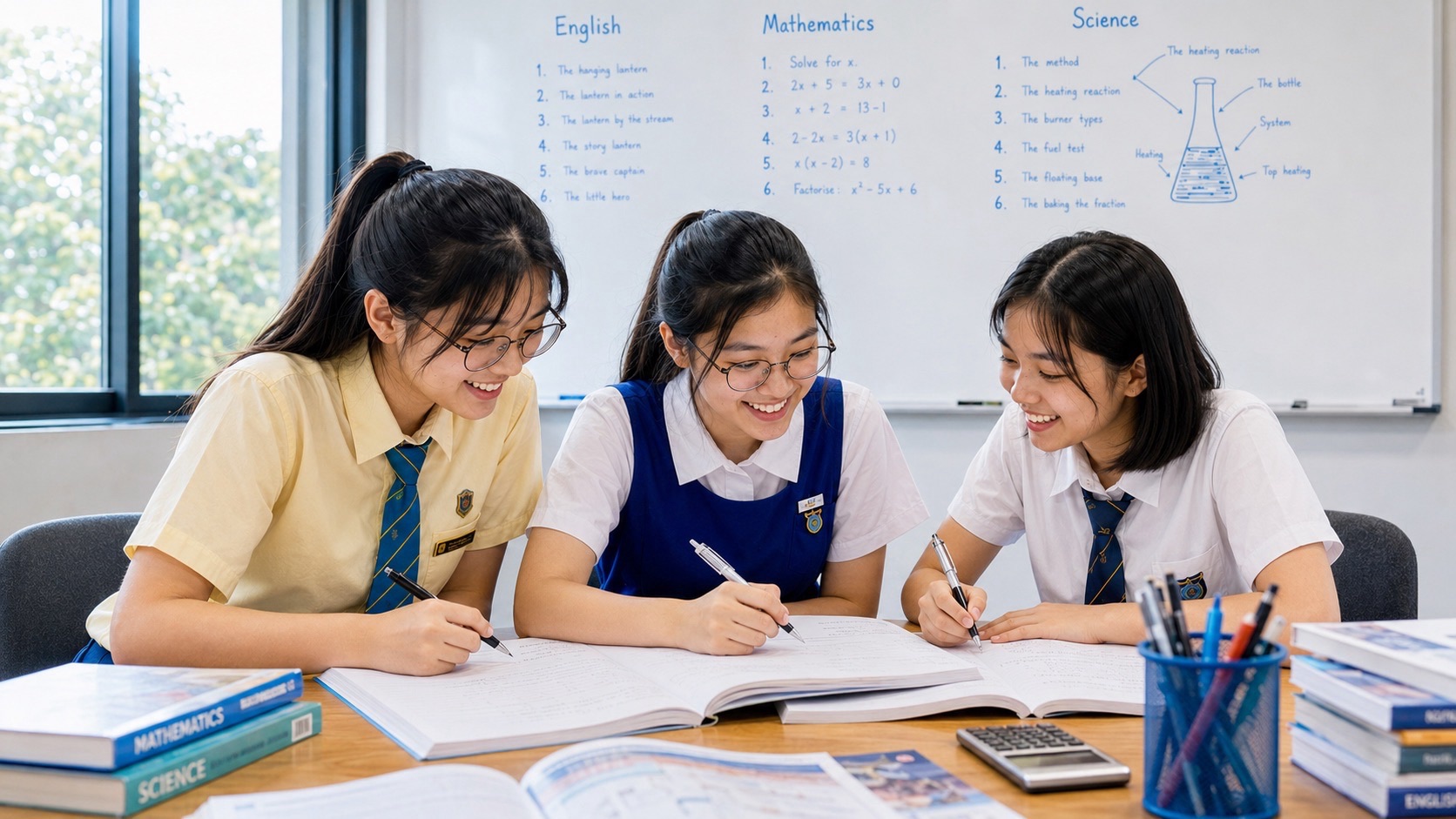
For an overview, you might finish by naming the main ideas and identifying the section that deserves closer attention. For Mathematics, you might need to reproduce a step and explain why it is valid. For Science, you might need to connect a changed condition with an outcome. For English, you might need to apply an editing decision to your own sentence.
Write that outcome in ordinary language. “Finish three videos” counts consumption. “Explain why the denominator cannot be zero, then solve a related example” identifies something the learner must actually do. Your school may also require particular activities or complete viewing; those instructions remain part of the task.
Do not mistake recognition for a successful check
Following a teacher’s completed solution can feel smooth because the next step is supplied. Once the teacher stops supplying it, the learner has to select and produce it. Playback speed cannot be evaluated solely through the feeling that the explanation sounded familiar.
Pause at a meaningful boundary and try something small without the answer visible. State the reason for the step, sketch the relationship, or complete a related example. Then compare with an appropriate worked answer or teacher guidance. The check should match the learning goal rather than become an unrelated memory challenge.
This is not an argument against worked examples. They can provide essential instruction. It is an argument for inspecting what remains when the support is removed. The related eduKate guide on watching Mathematics solutions without independent application examines that distinction more broadly.
Use different speeds for different parts of a lesson
A recording may contain an introduction, familiar recap, new definition, worked example and summary. These sections do not make identical demands. A practical arrangement is to move efficiently through material you can already explain while giving unfamiliar connections enough room.
That does not require changing the setting every few seconds. Excessive adjustment becomes another task. Begin with a comfortable pace, slow or pause when the work needs it, and use the controls deliberately. A stable moderate setting may be less disruptive than repeatedly accelerating and rescuing comprehension afterwards.
Suppose a Science recording names apparatus before explaining an unexpected result. You recognise the apparatus, but the explanation depends on a distinction between a measurement and an inference. The second part deserves more attention even though both appear inside one video. The appropriate unit of pacing is the learning problem, not necessarily the complete file.
Mathematics: when the missing time is between lines
A Mathematics teacher may write one line and explain the reasoning while the next line appears. If you copy symbols without understanding the transformation, the notebook can look complete while a crucial inference is missing. Accelerating the narration can make that gap harder to notice, but normal speed does not automatically prevent it either.
Consider an illustrative explanation of dividing both sides of an equation by a quantity that could be zero. The learner’s useful task is to identify the condition that makes division valid. Replaying the whole lesson may be unnecessary if the uncertainty concerns that one condition. Locate the step, inspect the explanation, and attempt a variation.
If you still cannot explain the move after a targeted replay, ask a specific question or use a suitable prerequisite explanation. Repeated playback is not always the right repair. The problem may be missing knowledge rather than an overly fast recording. Naming the uncertainty protects time better than watching from the beginning again.
Language and Science: sound, diagrams and meaning need room
In English, the goal may involve argument structure, pronunciation, rhythm or exact wording. Accelerated playback changes the timing of speech. That may be acceptable for reviewing the outline of an argument but unsuitable when you need to practise a natural speaking pace or hear distinctions that are unfamiliar to you.
In Science, narration and diagrams may convey different parts of an explanation. The learner needs to connect them. Pause to point out which feature the speaker means and describe the change in your own words. Copying a diagram more quickly is not the same as understanding what its arrows represent.
These are task-design considerations, not claims that a particular speed damages every language or Science lesson. Familiarity, accessibility, the recording and the required outcome differ. Keep accommodations and the teacher’s requirements intact. The best pace is not necessarily the same for two learners sitting beside one another.
Captions and transcripts are options, not guarantees
A transcript can help you locate a definition or revisit an exact passage without replaying everything. Captions may make spoken material more accessible. Use the aids that fit your needs and are available legitimately through the course or platform.
Do not assume that adding text automatically compensates for any increase in speed. Reading captions, inspecting a diagram and making notes can themselves compete for your immediate attention. If the setup becomes difficult to follow, simplify it or pause. The goal is usable access to the explanation, not the largest number of simultaneous inputs.
Check important technical words, numbers and symbols when captions are automatically generated. If a displayed term conflicts with the teacher’s notes or the context, verify it. A transcription error can create a knowledge problem that another replay at the same settings will not necessarily resolve. Keep the question tied to the uncertain term.
Why repeated whole-video replay is often the wrong repair
There are times when watching a lesson again is sensible. But a second full pass should have a job. Without one, the student may spend most of the replay revisiting material already understood while the same difficult minute passes with little additional processing.
Mark the section and write the unanswered question. “I lost track at the graph” is a beginning. “I do not understand why the slope represents this rate” is more useful. Search inside the provided lesson, ask the teacher, or use a suitable explanation of that relationship rather than restarting the entire chapter indiscriminately.
A targeted return also distinguishes time saved from time postponed. Skipping an unclear passage may make today’s record look efficient while leaving tomorrow’s practice blocked. An honest plan keeps that uncertainty visible. It does not declare the topic complete simply because the video player reports one hundred percent progress.
Compare routes without fooling yourself
Watching the same lesson slowly after you have already watched it quickly is not a clean experiment about speed. The second viewing benefits from previous exposure. Likewise, comparing an easy recap at 2x with a difficult new topic at normal speed cannot isolate the effect of playback rate.
You do not need to conduct a scientific trial to make a sensible personal adjustment. You do need to avoid claiming more than the comparison shows. Note the topic, familiarity, approximate total time and result of a relevant independent attempt. Use several ordinary experiences to identify a practical preference, while accepting that content differences remain.
Change one major feature where possible. If you alter speed, note-taking, location and question difficulty together, a better result does not tell you which change helped. The purpose is not statistical certainty. It is a sufficiently clear observation to guide the next session without turning every lesson into a research project.
Also check later when durable learning matters. An explanation repeated immediately after the video may still be available from recent exposure. A short later attempt on a relevant problem supplies different information. It should be part of sensible revision, not an excuse for testing yourself continuously or refusing to move on.
Give saved time a purpose without filling every spare minute
If faster playback genuinely saves time, decide what that saving is for. It may create room for an independent question, a useful correction or an earlier finish. It does not have to be reinvested entirely in more video consumption.
A common trap is to double the number of recordings watched and remove the practice that would reveal whether any of them helped. The learner can then report covering more content while acquiring less information about current capability. A smaller amount of selected instruction followed by appropriate use may be more valuable.
Rest is also a legitimate use of time. Faster viewing does not create an obligation to study indefinitely. Preserve sleep, meals, relationships and the actual limits of the day. If the workload is impossible even with sensible pacing, the problem needs prioritisation or support, not a continuously rising playback setting.
When you are already behind
Begin with the assignment or assessment requirements. Which recordings are required? Which sections address a demonstrated gap? Which material is a familiar recap? Use that information to organise the remaining work while following course rules. Do not assume you may skip compulsory participation or completion requirements.
Where viewing is flexible, diagnose before replaying an entire library. Attempt a representative question, identify the missing idea and select the relevant recording. That is a scope decision: choosing what instruction is needed. It differs from trying to force every existing recording through the same shrinking window.
If a lesson is both difficult and important, allow room for it or ask for help. Accelerating until the words become incomprehensible does not solve the time deficit. The guide on trying to catch up by studying faster explains the wider cost of error and rework.
A usable plan for the next recorded lesson
Choose the intended result before starting. Select a pace at which you can follow the explanation without repeatedly losing the thread. Keep a place to mark one or two uncertain sections, rather than transcribing everything mechanically. At a meaningful boundary, attempt the relevant idea independently.
If the attempt works, continue. If it fails, identify whether the cause is unclear language, a missing prerequisite, an overlooked condition or information that passed too quickly. Choose the repair that matches that cause. Lowering speed is one option; it is not the answer to every difficulty.
At the end, record the total session approximately and the unresolved question, if any. A note such as “Thirty minutes; can explain the example; need help selecting the method in a variation” is more useful than “2x completed.” It tells tomorrow’s learner where to begin without requiring another full replay.
For younger students, an adult or teacher can model this process on one short segment. Do not make fast viewing a competition or remove the learner’s normal accessibility support. Confidence should come from being able to use the idea, not from tolerating the highest number on the playback menu.
Three timing mistakes worth catching
First, a fifty-percent increase in playback speed does not reduce viewing time by fifty percent. At 1.5x, a thirty-minute video takes twenty minutes before pauses. Ten minutes have been saved: one third of the original viewing time. Divide the original duration by the speed multiplier rather than subtracting the multiplier from the duration. This is simple arithmetic, but a mistaken estimate can overfill an evening before studying begins.
Second, decide which clock a replay value belongs to. A five-minute section on the original video takes two and a half minutes to replay at 2x. If your notes already record two and a half minutes of actual elapsed replay, do not divide that number again. Mixing original video duration with real session duration creates a false saving. For an ordinary personal check, actual elapsed time is usually the easiest unit to keep consistent.
Third, do not compare routes using different finish conditions. One route might end when the recording finishes; another might include a practice question and correction. The second will look slower partly because it did more work. Compare complete routes to a similar intended outcome, and state the difference when that is not possible. More accurate accounting is not the same as proving a causal effect, but it stops a misleading comparison from becoming a rigid rule.
For example, a learner watches a thirty-minute recap at 1.5x in twenty minutes and then spends ten minutes on a related question. The whole session takes thirty minutes. Calling this “no time saved” overlooks the additional practice included. Calling it “ten minutes saved” without mentioning the practice is also incomplete. The useful report is that the learner completed both viewing and a specified attempt within the original recording’s normal duration. Whether that was successful depends on the attempt and the task.
Finally, include locating the right lesson when resource searching is a substantial part of the problem. A faster video is not a saving if an extra half hour is spent comparing equivalent recordings before playing it. Keep that search cost visible without timing every click. The aim is to discover the largest avoidable loss, not to create such detailed accounting that the record becomes more demanding than the lesson.
The limits of a universal speed rule
A label such as 1.5x describes a multiplier of the original recording, not one fixed speech rate. Two lecturers can begin at different paces. The density of new ideas can differ even when the spoken word count is similar. That is another reason not to treat a setting as a universal standard of efficient study.
Nor does finishing at normal speed guarantee depth. A student can remain passive during a slow lecture or reason actively during a faster familiar recap. The useful distinction is not virtuous slowness against reckless speed. It is instruction that the learner can use against activity that only moves a progress bar.
Set the standard through the actual learning task. Count the whole session. Keep uncertainty visible. Let the result of an appropriate independent attempt influence the next choice. These principles remain useful when the platform, course, teacher or recording length changes.
The Learning and Study Skills Library provides related routes on retrieval, worked examples and recognising unproductive practice. A playback control can help organise access to instruction. It cannot take responsibility for what happens after the instruction ends.
Use the fastest useful route, not the fastest possible noise. Sometimes that route includes acceleration. Sometimes it includes a pause long enough to understand one important line.
Browse connected guides in the Parent Learning Support Directory.