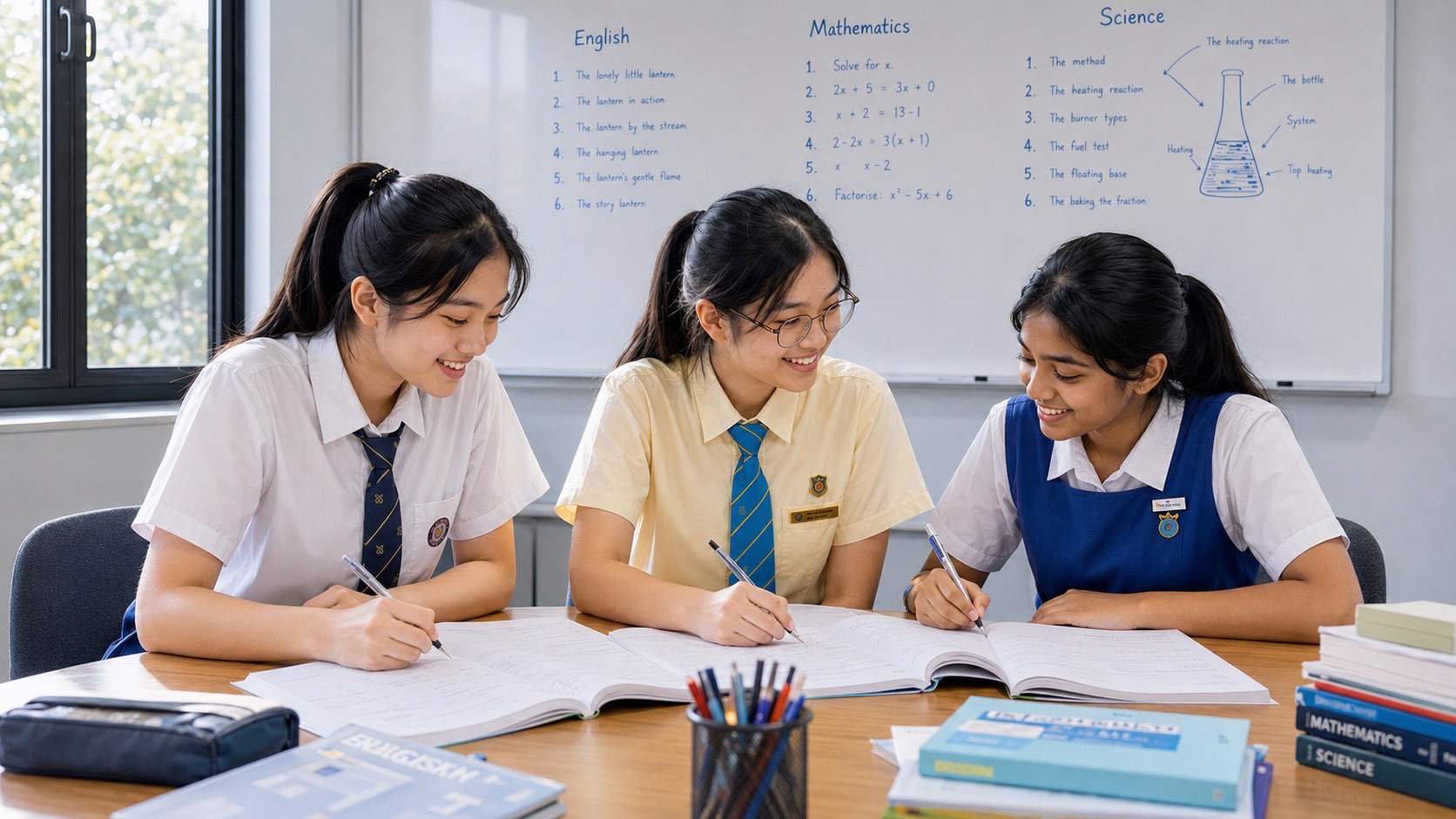
PG2 students use school-prescribed Personal Learning Devices (PLDs), SLS and school-managed digital tools, but none of these automatically determines a pupil’s G2 or G3 academic level. The 2027 Secondary 1 cohort must follow the receiving school’s current purchase, login and device-management guidance. The best parent plan identifies the actual device, funding, SLS account, safe-use settings and technical help before problems occur.
The digital system should make students more capable, not merely put more screens into a school day. This guide distinguishes technical access from learning, explains school and parent responsibilities, and provides practical actions for homework, safe behaviour and device failure. Policy and official school examples checked 7 November 2026; model specifications and settings from 2026 are labelled as historical examples.
Five things to do before the first day
- Wait for the school’s approved 2027 PLD procurement notice.
- Check Edusave, Financial Assistance and warranty details.
- Follow current SLS/MIMS account instructions and recovery routes.
- Understand the actual DMA school-day and after-school settings.
- Keep a school ICT contact and establish a sensible home routine.
1. Understand the three systems
A Personal Learning Device (PLD) is the computer or tablet prescribed by a secondary school for learning. The Singapore Student Learning Space (SLS) is the national learning platform for teachers and pupils. The Device Management Application (DMA) manages software, device settings, filtering and usage according to the school’s policy. These are not interchangeable. A child may have a functioning PLD but an inaccessible SLS account, or a working account but difficulty with a subject question. Identify the failing layer before changing anything. Parents who understand this distinction can approach the teacher, school SLS administrator or ICT support with a specific problem instead of treating all digital issues as ‘the computer isn’t working’.
2. Posting Group is not a device entitlement
A PG2 student usually begins most academic subjects at G2. Some pupils can offer individual subjects at G3 when eligible. Mixed form classes also share common-curriculum experiences. Digital assignments follow the student’s actual subject-level arrangements rather than the PLD model. A pupil taking G3 Mathematics and G2 English may need to open different subject groups and locate different assignments. The family should ask the school how timetable, teacher and group names appear online. A friend receiving a different task does not prove that one pupil has the wrong account. Each learner should follow the official assignment, complete independent reasoning and avoid sharing passwords.
3. Wait for the prescribed device
East Spring Secondary’s official 2026 NDLP notice describes a school-prescribed Chromebook, associated accessories and warranty/insurance terms. That is evidence of one school’s 2026 programme, not a guarantee for the 2027 intake elsewhere. Schools may prescribe different devices, operating systems or approved software. Before buying a private laptop, ask whether it can be accepted, whether DMA can be installed and who supports repairs. The cheapest supported device may be more useful than a premium machine that cannot work with school software. Keep the receiving school’s current purchase notice, warranty details, approved accessories and payment receipt so that future technical or coverage questions can be resolved.
4. Know how payment works
Singapore Citizen pupils may use Edusave for approved PLD costs under the applicable arrangements. Students receiving MOE Financial Assistance may also have subsidies for a school-prescribed device. The actual out-of-pocket amount cannot be inferred from another school’s device price or a previous year’s circular. A family should ask what the purchase includes, how warranty and damage claims work, whether Edusave is deducted and what documents are required. Do not assume a privately purchased device will be reimbursed. Parents worried about the cost should contact the receiving school’s finance or general office before placing an order rather than wait until an unaffordable payment is due.
5. What DMA actually controls
Damai Secondary’s DMA guidance describes filtering, school-managed applications, device usage times and parent involvement. It gives a default 6:30am–10:30pm usage window in its published arrangement, but this is a Damai example rather than a fixed rule for all schools or 2027 pupils. Ask the actual receiving school what its DMA allows during lessons and after school. If an educational site is blocked, record the link and ask the school to verify approved access. Do not teach a child to bypass management software or install unauthorised applications; a legitimate learning need can be addressed through the school ICT process.
6. After-school controls need a family plan
A school may offer parents more than one after-school DMA setting. Options can affect access to applications or the degree of device management after teaching hours, but school-day restrictions generally remain school-controlled. Parents should choose based on the student’s habits, not simply the least restrictive option. Discuss what a normal homework evening looks like: which tasks need the PLD, when the student should rest and how much entertainment fits without reducing sleep. A device setting supports that discussion; it does not replace the child’s need to learn self-management. Review the arrangement after the first month and ask the school how permitted changes are requested.
7. Secondary SLS sign-in and MIMS
The official SLS login guide describes MIMS as the usual authentication route for secondary and junior-college students, while other SLS sign-in routes apply to certain users. The receiving school issues account instructions. Do not guess that a Primary 6 username or old password will work automatically. A pupil should practise opening the correct SLS class, locating a task and submitting it before an urgent homework deadline. Parents should know how to help without taking over the account or sharing credentials with classmates. Where the school has email or other digital platforms, follow its onboarding documents and distinguish the school account from a personal social media account.
8. Password reset and locked account
SLS’s published help guidance describes password recovery through a verified email or security questions where configured. An account locked after repeated unsuccessful attempts may require the school’s SLS administrator. Teachers can provide appropriate temporary classroom access when the official system supports it. Avoid repeated guessing, unofficial reset services and sending credentials into a group chat. If a login problem affects an assignment, the child should tell the teacher and document the error without disclosing private information. The official SLS Helpdesk covers technical issues when the school-based process cannot resolve them. Record the school’s current helpline rather than rely on a number copied from an old student forum.
9. A digital homework problem may be academic
If the device and SLS account work but the child cannot begin an assignment, ask whether they understand the question. In English, the obstacle may be finding relevant evidence; in Mathematics, it may be using algebraic notation; in Science, it may be explaining the connection between variables and results. These are subject-learning problems, not technical failures. Ask the student to restate the task and show the first step independently. A learner who can complete the paper version but cannot upload a response may need digital workflow assistance; one who cannot explain the paper version needs targeted teaching. Diagnosis prevents families from buying technological solutions to conceptual weaknesses.
10. Balance screen time with actual learning
A school device can support study but also tempt a pupil to open unrelated websites and lose track of time. Agree on a clear objective before a lesson: read a passage, practise a method, produce a response and review feedback. After the digital activity, ask what the student can explain without the screen. Logging in for two hours is not the same as mastering the content. PG2 pupils may already be balancing G2 and selected G3 academic work, CCAs and travel. A long, distracted evening can make the next school day difficult. A realistic routine protects sleep and builds independence while giving the family room to review what is working.
11. Cyberbullying and responsible online behaviour
Device filtering cannot prevent every harmful message, imitation account or inappropriate image. The Health Promotion Board’s Parenting for Wellness advice uses STOP, SAVE, BLOCK, TELL and REPORT as a practical response to cyberbullying. Students should know a trusted adult at school and how to report serious concerns. Preserve relevant evidence privately, avoid circulating humiliating screenshots and act immediately if someone’s safety is threatened. Online integrity also applies to homework: a child who submits polished work produced entirely by another source may have learnt little. Check the teacher’s permitted use of research and AI tools, then ask the pupil to explain their own reasoning.
12. When a PLD breaks or is lost
School-approved device packages may include warranty or insurance, but terms vary by procurement year. East Spring’s 2026 coverage is not a promise for another school’s 2027 purchase. Report damage promptly using the school’s procedure and ask whether an approved repair or temporary school device is available. Avoid unauthorised modifications or unsafe charging. If a pupil cannot access homework while a device is being repaired, contact the teacher and explain the difficulty early. Keep records of the purchase, incident and outstanding tasks. The educational priority is continuity: the child should still be able to learn, practise and submit work through an authorised alternative where available.
13. What parents should ask at a school open house
Ask what device the school prescribes, whether it permits compatible existing devices, how PLD costs are paid and who helps with faults. Ask how SLS is used across G1, G2 and G3 subject classes, where teacher feedback appears and what happens during home-based learning. Request actual school information about DMA restrictions and cyberwellness. If the child needs assistive technology, ask the support team about compatibility before purchase. A school with a newer laptop is not necessarily a better educational fit; compare the quality of lessons, accessible support, daily travel, CCAs and whether pupils grow more independent with the tools.
14. A practical first-month review
Before the first week, have the student show how to store the device safely, charge it, sign in and find school assignments. In week two, notice whether deadlines are missed because of device faults, account issues, vague instructions or academic gaps. In weeks three and four, work with the teacher or ICT team on one recurring difficulty. Review whether the child can complete work without a parent performing every step. The strongest outcome is not a long screen-time report but an independent learner who understands which work belongs to them, can explain what they learned and knows whom to ask when something fails.
Practical digital-learning situations for PG2 families
Worked case 1: the wrong subject group appears
A Secondary 1 child enters SLS and finds a G2 Mathematics activity while the school has just offered a different Mathematics level. The parent should not tell the pupil to complete a friend’s assignment or assume the school’s subject decision is wrong. First read the offer letter and confirm which level applies. Next ask the teacher whether the pupil has been added to the right digital class. The account may simply need its subject grouping updated. Keep a record of the task, deadline and teacher response while the school checks.
This example teaches an important distinction: the academic offer is a school decision; the digital group is an implementation of that decision. A mismatch between the two should be addressed with evidence, not anxiety. When the correct task appears, the pupil should be able to explain what was changed and locate future assignments independently. Parents can then return their attention to the underlying Mathematics work.
Worked case 2: SLS fails the evening before homework is due
The child receives an account-lock message after repeatedly trying an old password. A parent may be tempted to continue guessing or use a search-result website promising instant access. Instead, consult the official SLS recovery instructions and the school-based helpline. If the account is locked, the school administrator needs to verify and unlock it. Tell the subject teacher through the school’s approved channel that the pupil cannot access the assignment, and ask how to proceed. A screenshot of the error can be useful, but should not reveal credentials.
When the account is restored, set up the recovery method the school permits and practise signing in again. Ask the student what happened so the next attempt begins with the correct username and route. This is a repair of authentication, not an occasion to punish the child by assigning unrelated extra academic work. The important outcomes are restored access, clear communication and a better login habit.
Worked case 3: the device breaks during a project
A pupil carrying a school device home after CCA discovers a damaged display. The child is worried about telling the parent and submits nothing for several days. A better response begins immediately: report the damage using the school’s prescribed channel, find the warranty or insurance information, and inform teachers whose assignments are affected. Ask about approved temporary devices or alternative submission arrangements. Do not make assumptions about replacement cost until the school checks coverage for the actual procurement package.
The parent can use the incident to teach practical responsibility without treating an accident as a moral failure. Discuss a protective carrying case, safe handling on buses and a consistent charging location at home. Review which schoolwork can continue on paper while repair is arranged. A functional learning system should have an orderly way to respond when hardware fails, instead of allowing technical disruption to become an unexplained decline in academic performance.
Worked case 4: the child spends hours online but remembers little
A learner appears diligent because the PLD screen is open every evening. Yet when asked to explain the Science question, they can repeat a sentence from the lesson but cannot relate it to the evidence. The parent should look beyond screen duration and ask what the student can now do independently. Have the pupil close the resource, explain the idea, then try a similar but slightly changed problem. If they cannot, return to the first concept that was misunderstood and ask for feedback.
Digital learning should support thinking rather than substitute for it. A small routine can be useful: read the assignment goal, work without distractions, submit an answer, review comments and practise retrieval later. The purpose is not to maximise the number of questions clicked, but to strengthen the student’s ability to apply ideas when the format changes. That matters regardless of whether the subject is at G2 or G3.
Worked case 5: a parent wants unrestricted after-school access
A family sees a school notice offering alternative DMA after-school settings and assumes the pupil should always have the least restrictive option. The child, however, repeatedly moves from homework to social media and struggles to stop before bedtime. The parent can discuss the actual choice with the pupil, review the school’s permitted settings and agree on a healthier routine. This is not a reason to circumvent school-day management, nor does it require treating every screen interaction as harmful.
Choose a plan that the child understands: necessary school tasks remain accessible, entertainment has an agreed place, and there is sufficient time for sleep and non-screen activity. Review the arrangement after a few weeks. If legitimate educational resources are blocked, report them to the school rather than disabling protections indiscriminately. The aim is growing independence supported by clear boundaries.
Worked case 6: a class group shares an upsetting image
A student is targeted by an embarrassing image in a messaging group. Other pupils begin forwarding it. The family should ask the child not to redistribute the content, preserve relevant evidence privately and speak promptly with a trusted adult and the school. Health Promotion Board advice on cyberbullying offers a practical stop-save-block-tell-report sequence. Where a threat is serious or immediate, direct help should not be delayed while waiting for an online form to be processed.
Parents should avoid responding by publicly humiliating another child. Schools need accurate information for fact-finding and appropriate support. The affected pupil may require emotional reassurance or counselling; classmates can also learn about bystander responsibility and respectful use of digital platforms. Cyber wellness is not merely an app filter. It is the everyday capacity to protect safety, privacy and dignity while using technology.
Worked case 7: parents compare two schools’ technology offerings
School A advertises a newer laptop model and a robotics club; School B uses a more modest device but offers clear teacher feedback and a convenient commute. A parent should not automatically treat the more expensive hardware as the stronger school. Ask how the school integrates technology into actual English, Mathematics, Science and common-curriculum lessons, which programmes new pupils can access, and what support exists when a device or account fails. Also compare school culture, CCAs, travel and cost.
Technology is one part of a child’s educational environment. A strong digital programme should help students understand, communicate, solve problems and act responsibly. A family may prefer the school whose teaching and daily life match the pupil’s needs, even if the marketing photograph is less impressive. Use MOE SchoolFinder and the actual school to verify programmes rather than ranking institutions by a device specification alone.
Worked case 8: the first-month digital audit
During week one, the student demonstrates how to enter SLS, find subject tasks and communicate with a teacher when access fails. During week two, the family identifies whether there are recurrent device problems or confusing instructions. In weeks three and four, the student practises an improved routine and shows one piece of work completed independently. The parent records a specific success and one remaining difficulty. This is a feedback loop, not an additional national school assessment.
By the end of the month, a useful question is whether the child can explain their own learning and manage the tools with less prompting. Can they distinguish a password problem from weak understanding? Can they retrieve a previously taught idea, check a submission and ask for help safely? When these abilities improve, digital learning is serving the learner rather than creating a new dependency.
15. Frequently asked questions
Will every PG2 child receive a different laptop from a PG3 pupil?
No. The school prescribes devices, while academic subject levels determine teaching content.
Can an existing family laptop be used?
Ask the school about permitted devices, compatibility, DMA installation and support.
Is the published Damai DMA time a national rule?
No. It is a specific published school example; check the actual receiving school’s 2027 policy.
Can the student use their old primary-school login?
Do not assume so. Follow the receiving school’s current SLS and MIMS onboarding guidance.
What if an account becomes locked?
Ask the school’s SLS administrator or helpline rather than continue password guessing.
Can Edusave pay for any replacement device?
Only approved uses and school arrangements apply.
What if a student is cyberbullied?
Preserve evidence safely, tell a trusted adult and use appropriate school or platform reporting; urgent threats require direct help.
16. Official sources and connected guides
- East Spring Secondary — 2026 NDLP/PLD
- Damai Secondary — DMA examples
- SLS — student sign-in
- SLS — password reset
- SLS — technical help
- HPB — cyberbullying guidance
- eduKate — PG2 parent guide and scores 21–25
Only the receiving school can confirm 2027 procurement, account procedures and specific DMA controls. The school examples above are documented illustrations, not universal policies.